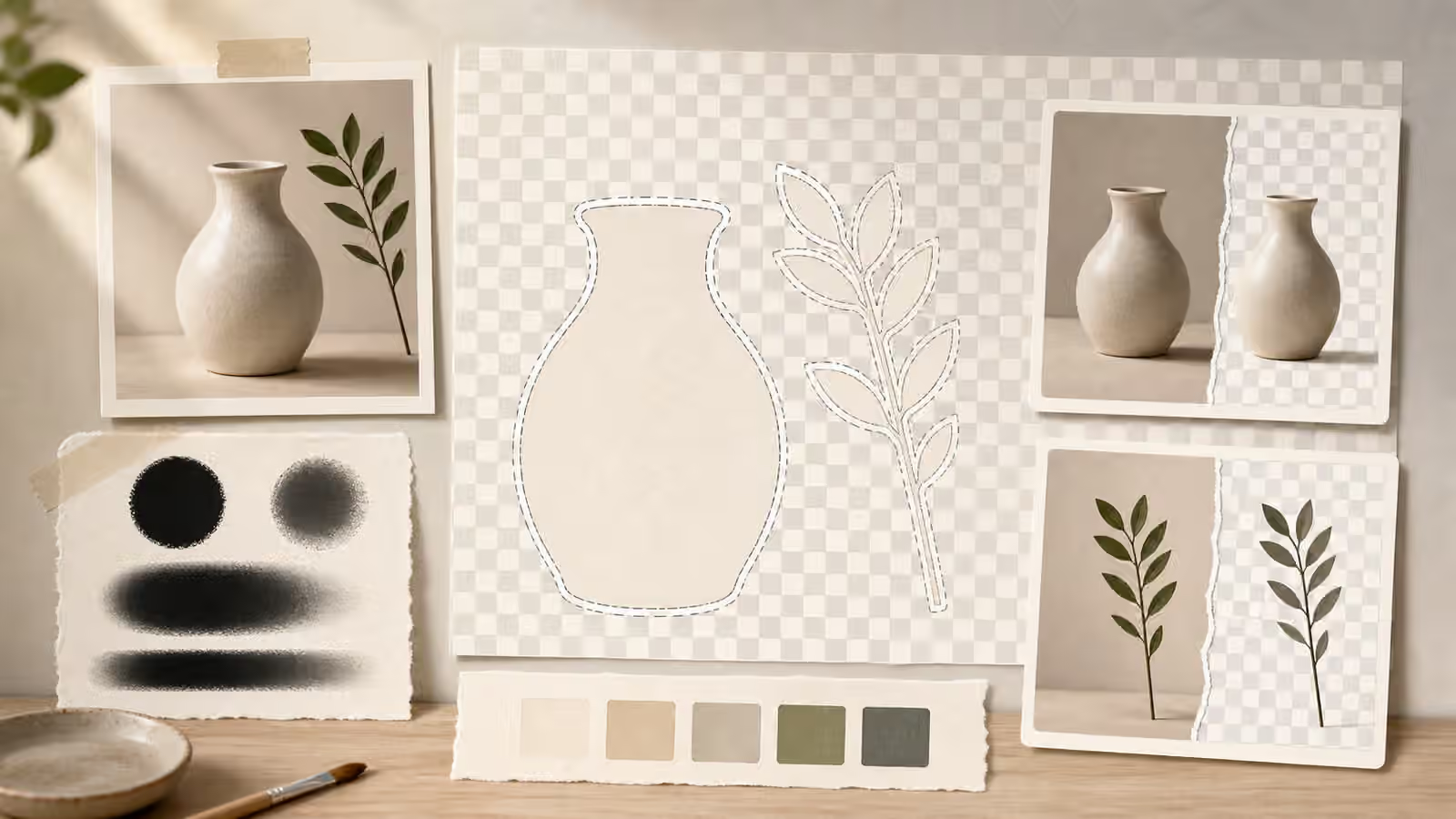
Transparent-background work looks simple after it is finished. The subject floats on a page, the edge is clean, and the surrounding layout can change without rebuilding the image. The hard part happens earlier, when the image is generated or edited. If the subject blends into the background, carries a complicated shadow, has translucent edges, or includes fake labels and brand marks, the cutout becomes a repair job instead of a publishing step.
Mask and cutout prompts should be written as production briefs. They describe the object, the background, the edge, the padding, the shadow, and the intended use. That may sound dry, but it gives both the model and the reviewer useful constraints. A cutout that will sit on a product-neutral guide page needs different choices from an editorial hero image with a full environment. The prompt should make those choices visible before the first render.
The Edge Is the Product
For cutout work, the edge of the subject matters as much as the subject itself. A ceramic mug, a paper box, a simple tool, or a flat illustration shape may be easy to separate from the background. Hair, glass, smoke, liquid, mesh, fur, feathers, translucent plastic, and reflective metal are harder because their edges are not clean. A prompt can still ask for those materials, but it should not pretend that background removal will be effortless.
Useful briefs describe the edge in practical language. Ask for crisp separation between subject and background, generous padding around the object, no background colors repeated inside the subject, and no important detail touching the frame. If the object is pale, choose a background that lets the edge be inspected. If the object is dark, do the same in the other direction. A cutout prompt that asks for a white object on a white table may produce a pleasant image and still create a terrible mask.
This is related to editing one thing at a time because mask work rewards narrow changes. If the subject is correct but the edge is muddy, do not rewrite the whole scene. Ask to preserve the subject and change only the background contrast, edge separation, or padding. If the shadow is wrong, change the shadow rule without replacing the object. Controlled revision keeps a usable subject from drifting into a new image with new problems.
Shadows Need a Decision
A transparent-background image cannot keep every shadow without also keeping part of the original surface. Sometimes that is fine. A soft contact shadow can help an object sit naturally on a card or shelf. Sometimes it is a problem. A heavy cast shadow may look wrong when the object is placed on a new background. A shadow with a strong color tint may reveal the old environment. A shadow that merges with a dark object may make the cutout edge feel dirty.
The prompt should name the shadow behavior. If the asset needs to be reusable on many backgrounds, ask for minimal contact shadow or no cast shadow, with the object fully visible and evenly lit. If the image is a full editorial illustration, a natural shadow may be appropriate because the background is part of the artwork. If the final file will be placed over an unknown page color, cleaner edges and lighter shadows usually give the editor more control.
Avoid asking for a transparent background and a dramatic grounded studio shadow in the same breath unless the shadow is part of the intended visual. Those goals often fight each other. A dramatic shadow depends on a surface, direction, and surrounding light. A reusable cutout depends on the ability to separate the object from its original setting. The brief should decide which job matters more.
Background Removal Is Not a Truth Filter
A clean cutout can make an image look official, catalog-like, or verified even when it is generated. That is useful for neutral teaching visuals and risky for anything that resembles product evidence, identity proof, medical documentation, or real-world reporting. Removing a background also removes context. A fictional object can start to look like a real product photo. A generated artifact can look like a documented item. An edited object can look as if it was photographed in isolation.
Use product mockup habits here. Keep objects unbranded unless you have a legitimate reason and permission to use a brand. Avoid fake labels, pseudo-certification marks, serial numbers, official-looking seals, and packaging claims. If the image is AI-generated or AI-assisted and a viewer could reasonably mistake it for evidence or a product photo, plan disclosure near the place where the image appears.
The same caution applies to masks used for editing. A mask can remove a background distraction, but it can also remove context that changes the viewer’s understanding. Do not use cutouts to make a real scene look cleaner than it was, to isolate a person from context without consent, or to create a false impression of official access. Visual Prompt Lab is about responsible creation, not laundering an image into something it is not.
Brief the Background Even When You Plan to Remove It
The removal background still matters. A flat, simple background with even lighting gives the reviewer a cleaner edge to inspect. A softly textured paper background may work for an editorial cutout if the subject edge remains distinct. A busy shelf, patterned fabric, glossy table, or complex room may make the image more attractive but harder to separate. When the final use is a transparent-background asset, the background should serve the mask, not compete with it.
Padding is part of that background decision. A subject with room around it can be cropped, masked, and placed without losing detail. A subject that touches the frame may need outpainting or manual repair before it can be reused. If the final image is meant to become an icon-like asset, ask for centered composition and full object visibility. If it is meant to become a guidebook hero, ask for a full scene instead and stop pretending it is a cutout.
This is where edit briefs help. A strong edit brief says what must stay, what must change, and what should not be invented. For mask work, that might mean preserving the object shape and material while changing only the background to a simple contrasting field. It might mean preserving the lighting while removing fake labels. It might mean preserving the object and removing only a busy table texture that interferes with the edge.
Review at the Destination Size
A mask can look clean at full size and rough at card size, or the reverse. Review the asset where it will appear. At a small size, check whether the subject silhouette still reads. At a larger size, check for halos, jagged edges, missing holes, clipped shadows, and leftover background color. If the asset will sit on both light and dark page surfaces, preview both. A pale fringe invisible on white may become obvious on a darker card.
Transparent-background work rewards restraint. Ask for simple subject shapes when possible, clean materials, clear edge contrast, and honest context. Use full-scene images when the surrounding environment carries meaning. Use cutouts when the object itself is the useful unit. The brief should not promise that every generated image can become a perfect asset. It should make the image easier to inspect, easier to edit, and less likely to mislead once the background is gone.