A robot workcell is the part of the world that has agreed to meet the robot halfway.
That can sound less impressive than a robot that appears to handle anything placed in front of it. In practice, many useful robot systems become useful because the surrounding space is designed with the machine in mind. The table has a repeatable height. The bin presents parts at a known angle. The camera sees the object without glare. The tool has a reliable place to park. The human handoff point is marked. The robot is not being asked to solve every possible version of the task; it is being asked to solve the version that the workcell creates every day.
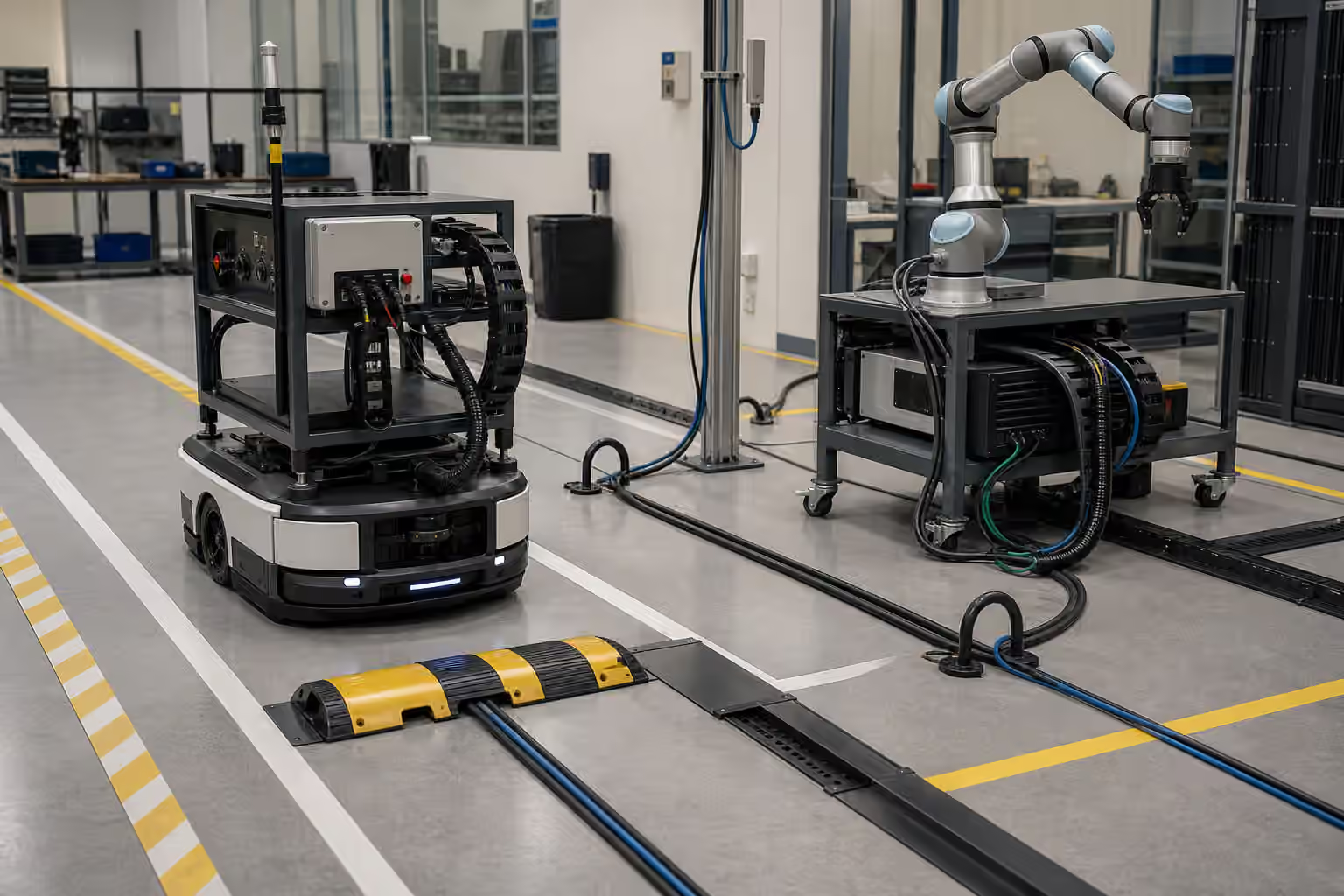
This is not cheating. It is engineering. A warehouse robot depends on routes, chargers, and fleet rules. A mobile service robot depends on maps and recovery spaces. A manipulation robot depends on fixtures, trays, lighting, object presentation, and guarded motion zones. Robot Site Readiness looks at the building around the robot. Workcell design looks at the immediate physical scene where the robot turns perception and motion into a repeated job.
Fixtures Are Memory In Metal
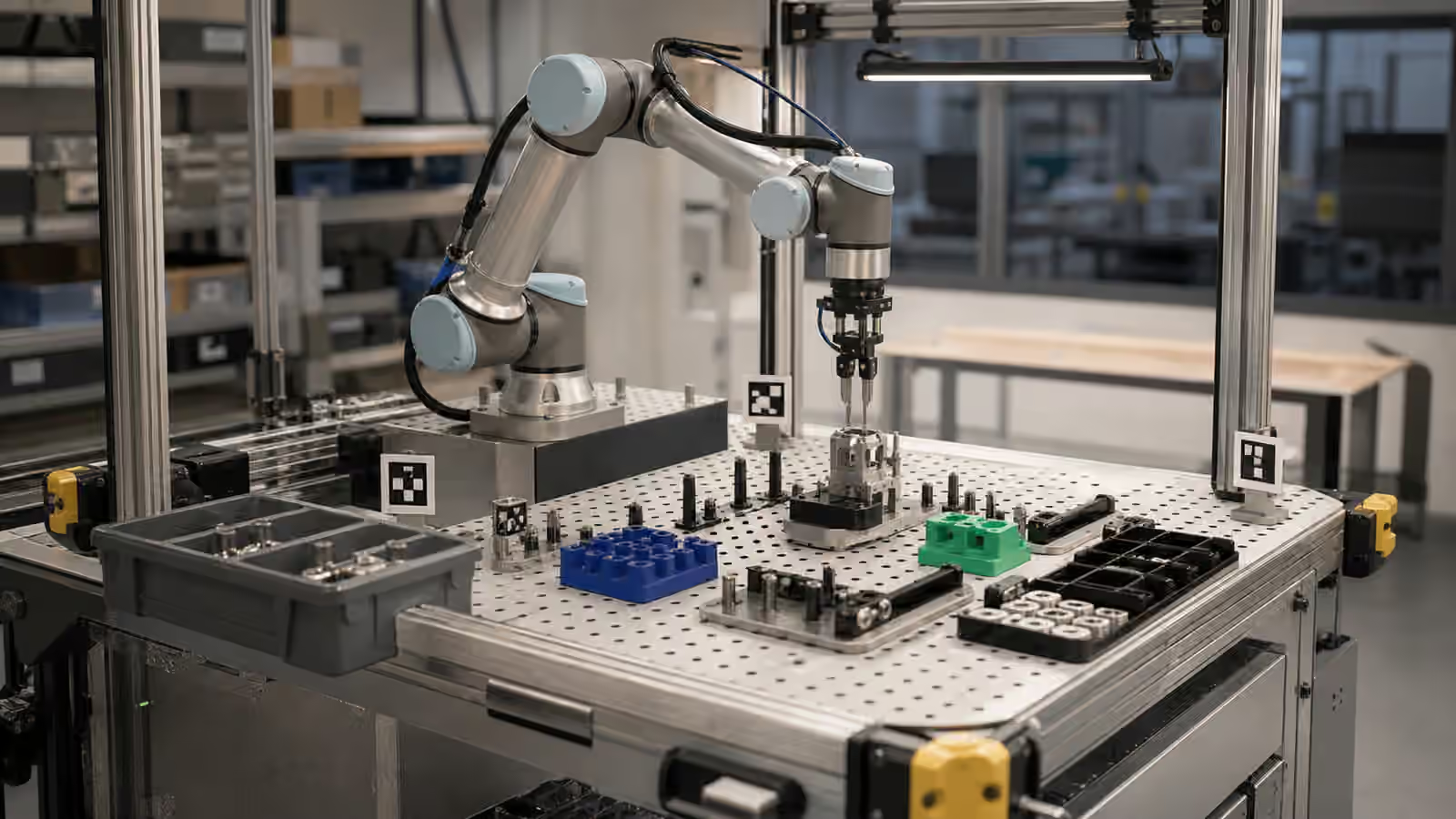
A fixture is a physical memory of how the task is supposed to happen. It may be a nest that holds a part in one orientation, a peg that locates a tray, a rail that guides a tote, a compliant insert that protects a delicate surface, or a simple stop that prevents an object from sliding too far. The fixture remembers what the robot should not have to rediscover on every cycle.
That memory matters because robot perception is uncertain and robot motion has tolerance. A camera may estimate that a part is slightly to the left of its true pose. A gripper may close a little off-center. A conveyor may stop with a few millimeters of variation. A table may flex. A fixture does not remove those imperfections, but it can make them small enough that the rest of the system has room to succeed.
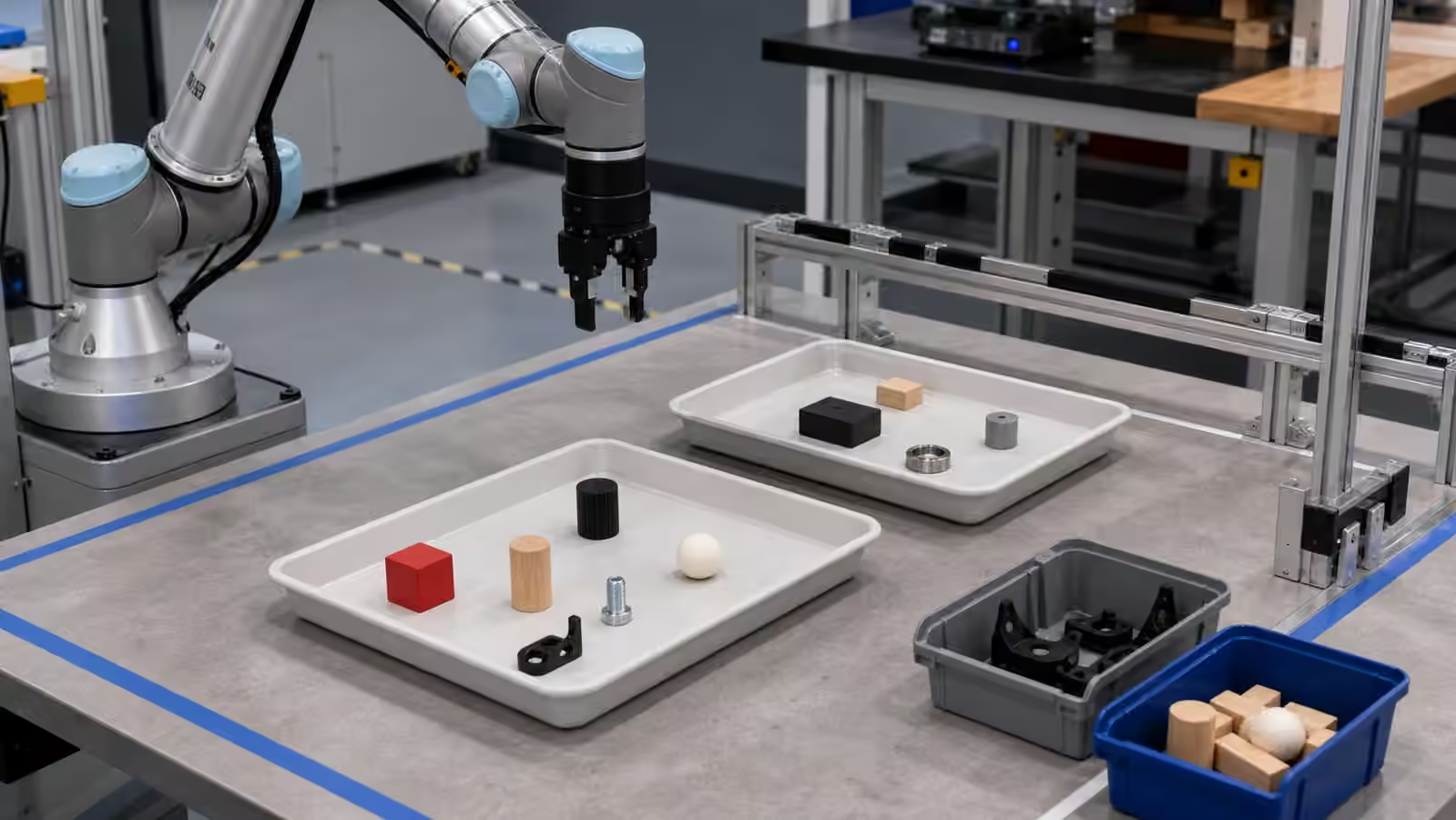
The best fixtures are not always elaborate. A shallow pocket that keeps a washer from rolling can be more valuable than a sophisticated recognition model that tries to find the washer anywhere on a reflective table. A ramped bin wall can settle objects into a better grasp pose. A keyed tray can prevent a worker from presenting parts backward. These details look ordinary because they are ordinary. They are also the difference between a one-off demo and a task that can run repeatedly without constant rescue.
Repeatability Beats Generality In The Cell
General-purpose manipulation is a research goal. A production workcell usually has a narrower question: can this robot perform this task, with this range of parts, under these conditions, often enough to be useful? That narrower framing is not a retreat from intelligence. It is how physical work becomes measurable.
The same robot may look very different across two cells. In a loose tabletop demo, it might search for an object among clutter, infer a grasp, retry after slipping, and ask for help when it is uncertain. In a designed cell, the object may arrive in a shaped tray, with the graspable side exposed and the destination fixed. The second case may feel less magical, but it is often the one that can be deployed. It gives Robot Hands and Dexterous Manipulation a fairer job: not grasp anything anywhere, but grasp known variations well enough to support a workflow.
Repeatability also gives teams better data. If every failed grasp starts from a different object pile, a different lighting condition, and a different table layout, the failure record becomes hard to interpret. If the cell presents the task consistently, the team can see whether the failure came from perception, calibration, tool wear, part variation, control timing, or the fixture itself. That is why workcell design belongs near Robot Data Collection . A stable physical setup makes the logs mean more.
The Robot Should See The Same Scene Twice
A robot workcell is also a perception instrument. Lighting, camera placement, surface finish, background contrast, and occlusion decide what the robot can see before the gripper moves. A bin with glossy black walls may be mechanically convenient while making depth sensing unreliable. A bright overhead light may help a person inspect parts while creating glare for a camera. A clear acrylic guard may protect people while adding reflections that confuse visual localization.
These conflicts are normal. The answer is not to pretend sensors are human eyes. The cell should be designed around the sensors the robot actually uses. If the robot relies on a wrist camera, the fixture should leave approach views open rather than hiding the part under overhangs. If the robot uses depth sensing, the part presentation should avoid surfaces and angles that produce weak depth returns. If the robot uses fiducials or calibration markers, those features need to remain visible, protected, and governed like any other important piece of equipment.
Robot Perception explains why sensing is an estimate rather than a perfect picture. Workcell design can reduce the size of that estimate. It can put contrast behind similar parts, keep specular surfaces out of critical views, separate items that would otherwise merge into one shape, and provide known reference geometry. The goal is not to decorate the cell with sensors. It is to make the useful evidence easier for the robot to collect.
Tolerances Have To Add Up
Every part of a workcell has tolerance. The robot base may be mounted with a small offset. The arm has repeatability limits. The tool center point has calibration error. The camera has a transform to the robot frame. The tray has manufacturing variation. The part has its own dimensions. The fixture may wear. The table may shift after maintenance. None of these errors has to be large to matter. They add up at the moment of contact.
This is where Robot Calibration and Alignment becomes practical. Calibration is not a ceremony performed once before a demo. It is a way of making sure the robot, tools, cameras, fixtures, and task coordinates still describe the same world. A workcell that cannot be checked is fragile, even if it worked yesterday. A cell with clear datums, repeatable mounts, inspection points, and documented setup procedures gives technicians a way to restore the geometry after something changes.
Tolerance thinking also changes fixture design. A nest should not merely hold the ideal part. It should tolerate the part range the task will actually see. A stop should not create a collision if the part is slightly oversized. A gripper approach should not require the object to be placed with unrealistic precision unless the cell has a reliable way to create that precision. Good fixture design gives the robot margin without hiding the fact that margin was necessary.
Safety Boundaries Are Physical Too
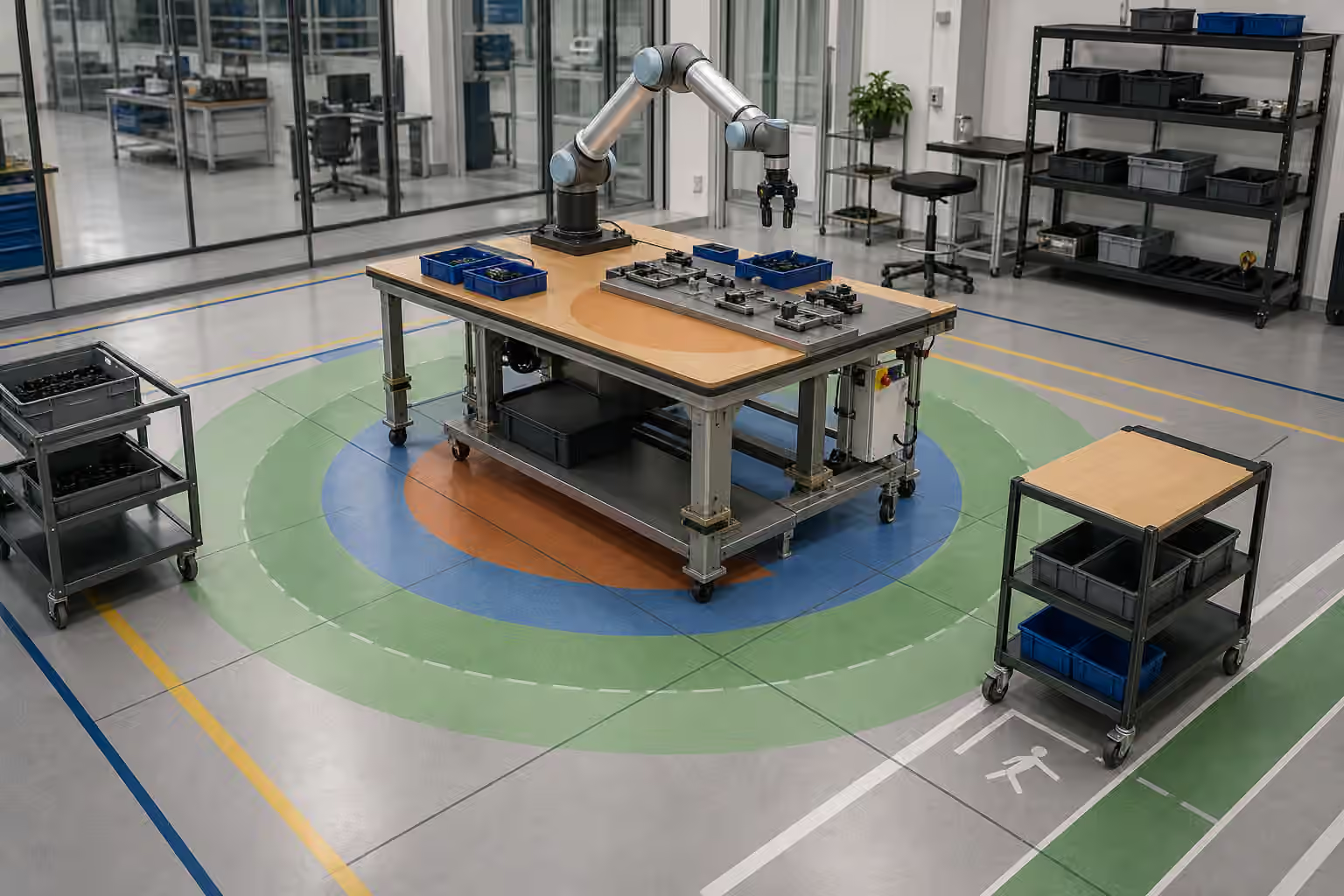
A workcell is not only an accuracy device. It is part of the safety case. Guarding, approach zones, emergency stops, speed limits, part containment, pinch-point avoidance, tool storage, and human access paths all shape what the robot may do. Robot Safety covers the broader risk picture. The workcell is where many of those risks become concrete.
A fixture that holds a sharp part should also consider what happens if the robot drops it. A tray that positions a heavy object should consider what happens when the object is only half seated. A handoff point should make it clear where the person waits and where the robot expects the part to be. The robot may have software limits, but the physical design should not rely on perfect software behavior for every ordinary mistake.
The same principle applies to maintenance. People will clean sensors, replace gripper pads, clear jams, swap trays, and recover from faults. If the only way to service the cell is to reach awkwardly through the robot’s working volume, the design is borrowing risk from the future. Good cells make normal service visible and reachable. They also make abnormal recovery less improvised, which connects directly to Robot Failure Recovery .
Human Workflow Is Part Of The Fixture
The human side of a workcell is often treated as separate from the mechanical design, but it is usually embedded in it. A worker decides where parts are loaded, how empty trays are removed, when a robot has finished, what a blocked cell looks like, and how exceptions are escalated. The fixture can make those decisions easy or force people to invent workarounds.
A well-designed cell gives people a predictable rhythm. The loading point is clear. The completed parts land somewhere that makes sense. The robot’s wait state does not block the worker. The emergency stop and restart process are obvious to trained staff. The cell does not require people to remember hidden rules about where an object might be safe to place. Robot Handoffs and Human Workflows makes this point at the workflow level. The workcell turns it into metal, lighting, bins, labels, clearance, and timing.
Poor workcell design creates quiet friction. A worker rotates a tray because it is easier to reach, and the robot fails because the tray was keyed only in theory. A person puts a tool on the table because there is no better place, and the robot sees a new obstacle. A finished bin fills unevenly, and parts spill into the motion zone. None of these failures requires anyone to be careless. The cell simply failed to make the desired behavior the easiest behavior.
Change Control Keeps The Cell Honest
A workcell that works once is a prototype. A workcell that keeps working needs change control. Fixtures wear. Operators learn shortcuts. Suppliers change packaging. Lighting is replaced. A camera mount is bumped. A tray is remade on a different machine. A new part revision arrives with a slightly different corner radius. Each change may be small enough to seem harmless, and each can move the cell outside the assumptions that made the robot reliable.
The practical answer is to treat the workcell as part of the robot system, not as furniture around it. Fixture drawings, calibration records, acceptable part ranges, cleaning procedures, tool replacement intervals, and software versions all belong to the same deployment story. When something changes, the team should know whether the robot needs a new test, a new calibration, a new perception model, or only a note in the maintenance record.
This is where workcell design meets Robot Demo Evaluation . A clip may show a robot working in a polished cell, but the important question is how that cell behaves after days or months of ordinary use. Are the pins still straight? Are the trays still identical? Are the parts still presented the same way? Can the robot detect when the setup is wrong, or does it continue confidently into a bad grasp?
The Cell Is Part Of The Intelligence
It is tempting to draw a clean line between intelligence inside the robot and environment outside it. Physical AI rarely works that way. The robot’s apparent competence comes from the whole arrangement: model, sensors, controller, gripper, fixture, lighting, task definition, safety boundary, human workflow, and recovery process. A better workcell can make a modest robot useful. A careless workcell can make a capable robot look confused.
That does not mean every environment should be redesigned until the robot has nothing left to solve. The right amount of structure depends on the value of the task and the cost of changing the environment. A factory cell can justify precise fixtures. A home robot cannot ask the household to become a fixture. The lesson is not that robots need perfect stages. It is that physical setup should be treated honestly as part of the system.
When a robot succeeds, ask what the cell did to make success possible. When it fails, ask whether the failure belongs to the model, the hardware, the fixture, the workflow, or the assumptions connecting them. That habit makes robot deployments less mysterious. It also gives teams more levers to pull than simply asking for a smarter model. Sometimes the most intelligent thing a robot team can do is put the part in a better tray.