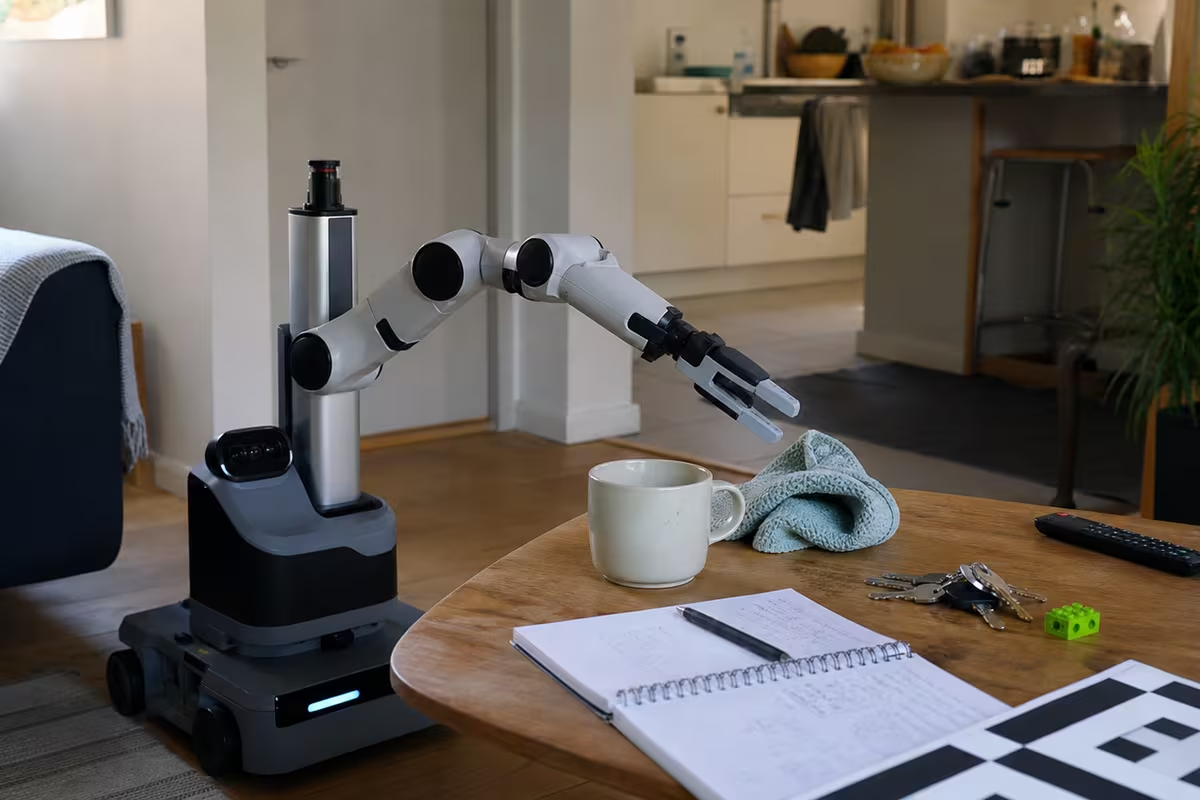
Robot hands are where robotics stops looking like software and starts looking like the physical world fighting back.
A text model can be wrong and produce a bad paragraph. A robot hand can be wrong and drop a glass, crush a tomato, miss a handle, tear a bag, jam a drawer, or push the object out of reach. Manipulation is hard because the robot has to perceive, touch, move, and adapt at the same time.
Hands, grippers, and end-effectors
Not every robot needs a human-like hand.
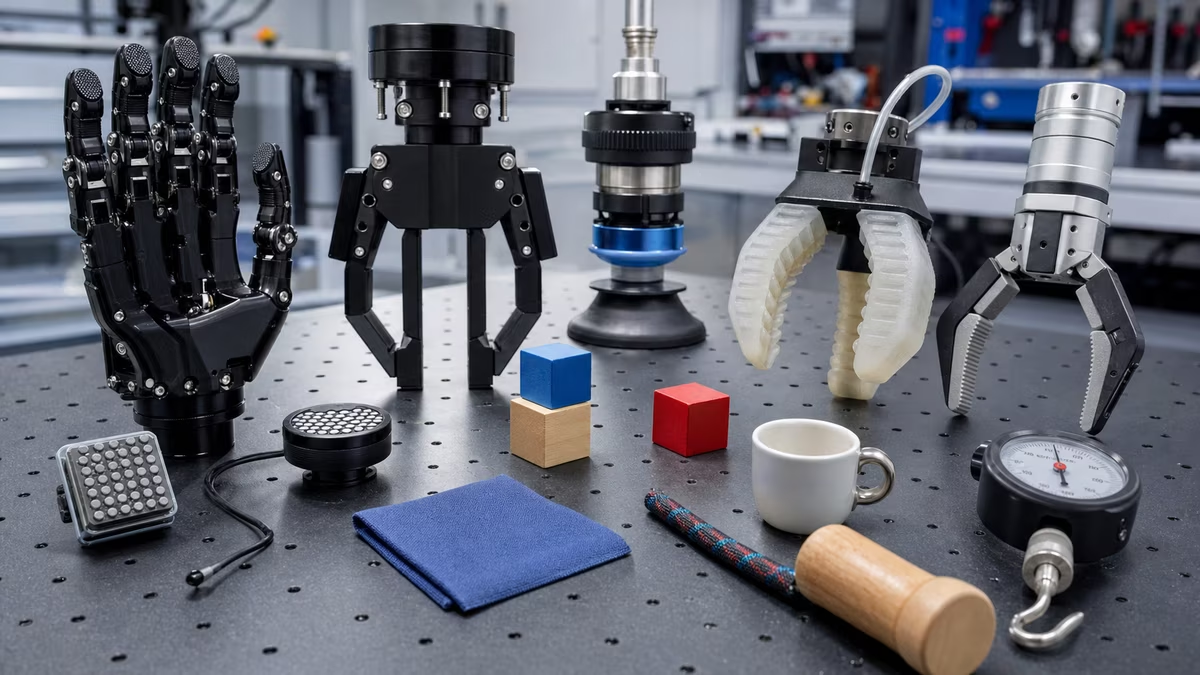
An end-effector is the tool at the end of the robot arm. It might be a parallel gripper, suction cup, magnetic gripper, soft gripper, tool changer, welding torch, screwdriver, sprayer, or multi-fingered hand. Parallel grippers are good for boxes, rigid parts, and simple shapes, but they can squeeze too hard. Suction cups work well on smooth packaging and flat surfaces, but porous, dirty, curved, or leaking objects defeat them. Soft grippers help with irregular food or delicate items, often at the cost of payload and precision. Magnetic grippers are useful for ferrous metal parts and useless for everything else. Dexterous hands are exciting for regrasping and tool use, but they are expensive, complex, and hard to control.
The right hand is often not the hand that looks most human. It is the hand that makes the target job reliable.
Why human hands are hard to copy
Human hands combine high degrees of freedom, tactile sensing, force control, compliance, temperature and texture cues, fingernails, skin friction, fast reflexes, learned experience with thousands of objects, and coordination with eyes, arms, torso, and balance.
A robot can imitate pieces of this, but each piece adds hardware cost, sensor noise, calibration, control complexity, maintenance, and failure cases.
The manipulation loop
A robot manipulation task usually follows this loop:
- Detect the object and estimate its pose
- Decide where and how to grasp
- Move the arm without collision
- Contact the object
- Sense whether the grasp worked
- Lift, move, or use the object
- Recover if it slips, deforms, or is not where expected
Most demo failures happen in steps 4 through 7. That is where reality appears.
What makes an object hard
Some objects are easy because they are rigid, isolated, matte, and consistently shaped.
Hard objects include transparent cups, glossy packaging, deformable bags, clothing, towels, cables, reflective metal, glass, nested objects, cluttered objects, wet surfaces, oily surfaces, dust, fragile items, and heavy items with awkward centers of mass.
This is why warehouses love totes, trays, labels, and fixtures. They reduce the number of ways the world can surprise the hand.
Tactile sensing
Vision tells the robot what might be true before contact. Touch tells it what is true after contact.
Tactile sensors can help detect slip, estimate grip force, find edges, confirm contact, adjust to soft objects, and avoid crush damage.
But tactile data is not magic. It must be sampled, filtered, interpreted, and tied into control. A sensor that detects slip too late may only tell the robot why the object already fell.
Force control and compliance
Rigid position control is dangerous around messy objects. If the robot moves exactly where it was told despite unexpected contact, it can jam, crush, or break things.
Force control lets the robot regulate contact force. Compliance lets the hand or arm give way slightly. Soft fingers, springs, torque sensing, and control algorithms can all make contact safer and more forgiving.
The tradeoff is precision. A very compliant hand may be gentle but less accurate. A very stiff tool may be precise but unforgiving.
Pick-and-place vs dexterity
Pick-and-place means grasping an object and moving it somewhere else. Dexterity means changing the object’s pose, using tools, opening mechanisms, sliding, twisting, folding, inserting, or regrasping.
Many commercial systems are useful with pick-and-place alone. General-purpose robotics needs richer contact skills: rotating a part in hand, inserting a plug, opening a zip bag, twisting a cap, folding fabric, using a screwdriver, or handling unknown packaging.
Each action adds contact-rich physics. It is a different problem from simply moving an object.
How to evaluate a robot hand
Ask what object set was used for testing and whether the objects were known in advance. Look for success rate over many attempts, damage rate, failed-grasp detection, regrasp behavior, maximum payload, minimum delicate force, calibration burden, and how hard it is to clean or replace fingers.
Practical buying logic
For a real deployment, choose the simplest hand that can pass the work envelope. Case picking often starts with suction or a parallel gripper. Food handling usually points toward soft grippers or food-safe vacuum systems. Machine tending favors parallel grippers or custom fingers. Metal parts may justify magnetic or custom mechanical grippers. Mixed parcel sortation often uses suction plus vision, sometimes with hybrid fingers. Research dexterity is where multi-fingered hands and tactile sensing make more sense.
Next steps
Read Embodied AI to understand how learned policies are changing manipulation, then read Robot Safety before giving any hand force near people or fragile objects.
Ground the idea in the physical world
Physical AI becomes serious when the robot meets friction, weight, light, dust, latency, humans, and maintenance. For Robot Hands and Dexterous Manipulation, the useful habit is to connect the concept to the workcell, room, warehouse, home, or field site where it would actually run. A demo can be clean while the deployment environment is messy.
Start with the task boundary. What object is moved, sensed, inspected, cleaned, delivered, opened, closed, lifted, or avoided? What counts as success, and what counts as a safe stop? The robot needs more than a goal. It needs limits that make sense when the world changes.
Then look for variability. Object shape, floor condition, lighting, wireless coverage, human traffic, payload, calibration drift, battery life, and cleaning routines can all decide whether a system works outside a video. Robustness is often built through boring details.
A good deployment leaves traces: logs, incidents, maintenance notes, operator feedback, and clear ownership. Without those traces, teams argue from memory. With them, the system can improve.
Robot Hands and Dexterous Manipulation should make the physical side harder to ignore and easier to manage. The future of robotics is not only intelligence. It is reliable behavior in places that refuse to be perfect.