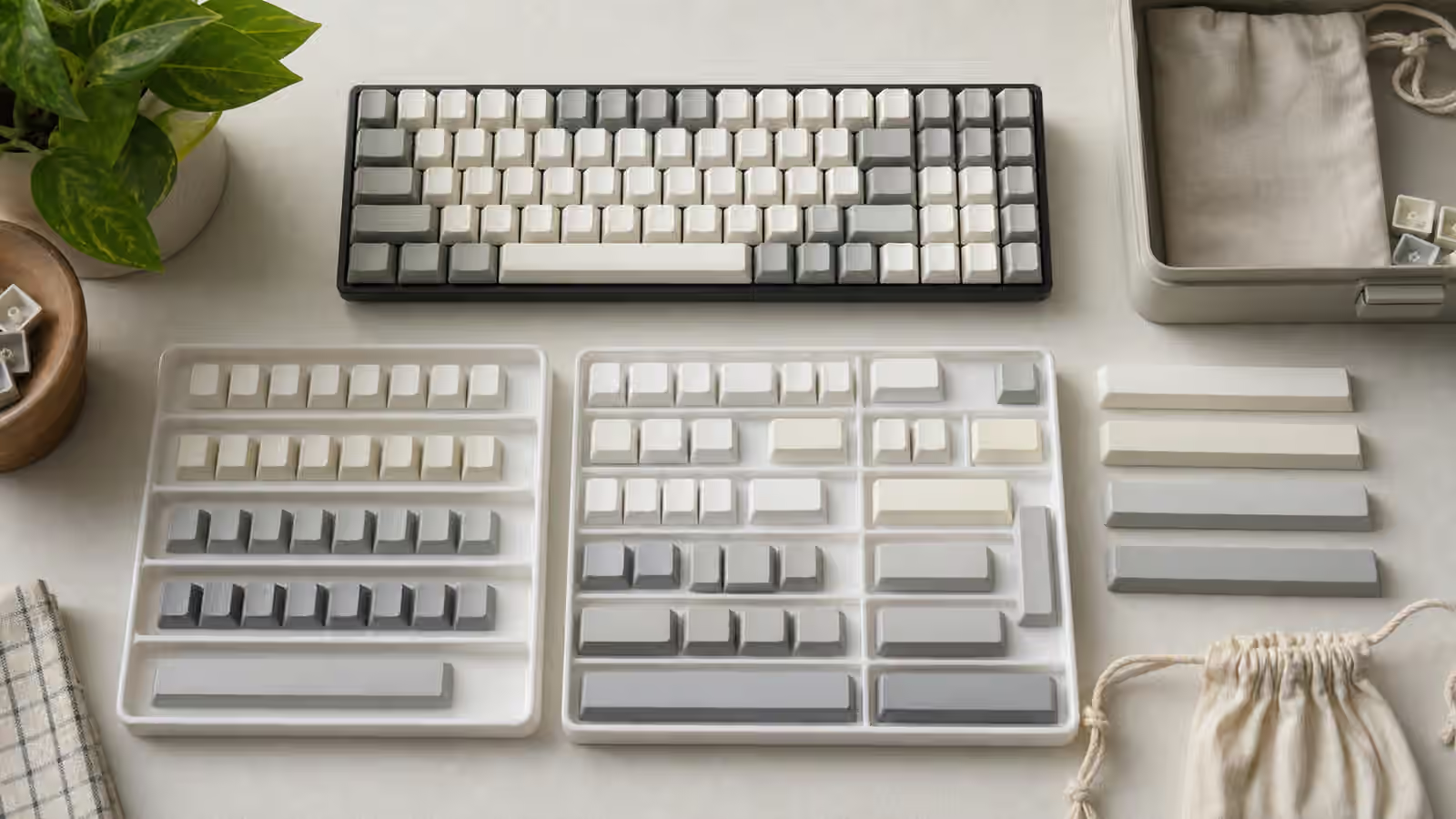
A used mechanical keyboard can be the best value in the hobby or the fastest way to inherit someone else’s unfinished project. The difference is rarely the color of the case or the popularity of the layout. It is the quiet evidence: clean sockets, honest photos, stable stabilizers, keycaps that actually fit, firmware that still works, and a seller who can explain what has been changed. A keyboard is a small machine with many replaceable parts, which makes secondhand buying more forgiving than buying many sealed electronics. It also means there are more places for confusion to hide.
The goal is not to become suspicious of every used board. Many secondhand keyboards are simple: a clean hot-swap board, stock switches, original keycaps, a cable, and no drama. Others arrive with mixed switches, missing foams, damaged sockets, flashed firmware, stripped case screws, warped spacebars, or a wireless battery that no longer behaves. A careful inspection gives you a way to separate ordinary wear from expensive trouble before you commit.
If this is your first mechanical keyboard, read the keyboard buying guide first so the layout, switch, and feature choices make sense. This guide assumes you have found a used board that looks interesting and need to judge whether it is a sensible purchase.
Start with the exact identity of the board
Begin by confirming the exact model, revision, layout, and included parts. Mechanical keyboard listings often use broad names casually. A seller may write “75 percent custom” when the important detail is the specific PCB revision, plate material, mounting style, and bottom row. A prebuilt board may have several versions with different hot-swap support, wireless hardware, firmware tools, or keycap profiles. A kit may have shipped with both solder and hot-swap PCB options. The photos need to support the description.
Ask for clear photos of the top, bottom, rear port area, underside, and any accessories. If the board can be opened without damage, internal photos help, but do not demand disassembly from someone who is not comfortable doing it. A top photo tells you layout and visible condition. A side photo tells you case height, feet, and possible dents. A rear photo shows USB port condition. A bottom photo shows feet, screws, weights, badges, and wireless switches if present. The included parts matter too: spare keycaps, original cable, dongle, alternate plates, extra gaskets, foam sheets, carrying case, and unused switches can change the value and the future repair path.
The most useful seller is not the one who promises perfection. It is the one who can describe the board plainly. “Stock except for lubed stabilizers” is easier to evaluate than “fully modded, sounds amazing.” A used keyboard with a known history is usually calmer than a mystery board with dramatic adjectives.
Separate cosmetic wear from functional wear
Cosmetic wear is not automatically a problem. Small case marks, shiny keycaps, desk-mat dust, and light patina on a brass weight may be acceptable if the price reflects them. Functional wear is different. A loose USB port, intermittent key, cracked plate, damaged hot-swap socket, missing stabilizer wire, swollen battery, or stripped screw can turn a good deal into repair work.
Photos can blur that distinction, so look for the areas people forget to stage. Corners show drops. The USB port shows cable stress. The underside shows desk wear and missing feet. The spacebar area shows stabilizer tuning and keycap shine. The switch plate shows dust, hair, lube mess, and whether switches sit straight. A board that looks clean only from one flattering angle deserves more questions.
Keycap shine is normal on ABS keycaps and can appear on heavily used PBT too. It changes texture more than function. Missing or mismatched keycaps are a compatibility question. If the board uses a short right Shift, unusual bottom row, split spacebar, ISO Enter, or low-profile switches, replacing caps may be harder than expected. The keycap compatibility guide explains why one missing spacebar can matter more than a whole tray of spare letter keys.
Switches and sockets tell the real story
Switches are easy to replace on a hot-swap board, but only if the sockets are healthy. Ask whether every key registers and whether any switch has been replaced because of chatter, double input, or dead spots. A seller should be able to test the board in a keyboard tester or a text field and confirm that all keys work. If a board has hot-swap sockets, a photo with several keycaps removed can reveal whether switches sit evenly and whether the plate has obvious damage.
Hot-swap sockets are convenient, but they do not enjoy force. A socket can lift from the PCB if a switch was pressed in with bent pins or swapped carelessly many times. A lifted socket may create an intermittent key that works only when pressed at a certain angle. That repair is possible for someone with soldering skill, but it should not be priced like an ordinary used board. If the seller mentions one flaky key, do not assume it is just a dirty switch. It might be a switch, a socket, a solder joint, a diode, firmware, or the USB connection. The keyboard troubleshooting guide is useful for understanding those failure paths.
Mixed switches are not necessarily bad. Some people use heavier switches under modifiers, silent switches on stabilized keys, or a few samples in less-used positions. The problem is surprise. A listing should say whether all switches match, which switches are installed, whether they are factory stock, lubed, filmed, spring-swapped, or frankenswitched, and whether spares are included. If the seller cannot identify the switches, treat them as unknown parts rather than premium value.
For soldered boards, switch condition is more permanent. A bad switch can be replaced, but it requires desoldering. That is normal keyboard work for some builders and an obstacle for others. If you are not prepared for soldering, a soldered used board should either be tested very well or priced with that permanence in mind. The PCB and hot-swap sockets guide gives the background on why this distinction matters.
Stabilizers reveal care
Large keys expose shortcuts. Spacebar, Enter, Backspace, and Shift can tell you more about the build than the letter keys do. A used keyboard may have smooth switches and still feel poor if the stabilizers tick, rattle, bind, or return unevenly. Ask for a short sound or typing clip if possible, but do not overvalue polished sound tests. A phone recording in a different room is not the same as the board on your desk. Still, it can reveal obvious rattles, stuck keys, and uneven spacebar behavior.
Stabilizer work can be a positive sign when it is described clearly. Lubed, balanced, or replaced stabilizers may make the board feel better than stock. The warning sign is vague modification. “Tuned stabs” can mean careful wire balancing and a clean lube job. It can also mean too much grease, sticky housings, or bandage pieces placed where they interfere with travel. If the board is expensive, ask what was done and whether original parts are included.
Do not panic over every stabilizer imperfection. Many used boards need a small spacebar adjustment after shipping because keycaps can shift and wires can settle. The question is whether the board has a reasonable path back to good feel. The stabilizer guide can help you judge whether a symptom sounds routine or like a deeper mismatch between keycap, wire, housing, and plate.
Firmware, remaps, and operating-system habits
A programmable keyboard can arrive with someone else’s layout still inside it. That is not always obvious until you press a key and it sends a macro, layer toggle, or operating-system shortcut you did not expect. Ask whether the board is running stock firmware, VIA, QMK, a manufacturer utility, or a custom keymap. If it supports VIA or another live editor, ask whether it is recognized without special files. If it needs a JSON definition, make sure the seller can provide it or that it is available from the maker.
Firmware is especially important on compact boards because arrows, function keys, media controls, and Delete may live on layers. A used 60 percent board with a strange keymap can feel broken even when the hardware is fine. The compact keyboard layers guide explains how layer choices affect daily work. The QMK and VIA firmware guide is the right next stop if the listing mentions flashing, bootloader mode, macros, or remapping.
Operating-system modifier layout can also create confusion. A board used on macOS may have Command and Option placed differently from a Windows user’s Alt and Control habits. That is usually fixable, but it should be understood before buying keycaps with specific legends. A keyboard that looks wrong under one operating system may be perfectly usable after remapping, while a board with poor firmware access may make that simple change annoying.
Wireless boards need extra caution
Wireless used keyboards add batteries, receivers, pairing behavior, sleep settings, and charging circuits to the inspection. Ask whether Bluetooth pairing works, whether any 2.4 GHz dongle is included, whether wired mode works normally, and how the battery behaves after sitting. A missing dongle may be difficult or impossible to replace depending on the model. A board that charges but does not type over USB is less flexible than one with a true wired fallback.
Battery claims should be modest. A seller may honestly say the board lasts a long time, but usage patterns vary with lighting, sleep behavior, and radio mode. The more important question is whether the battery is physically healthy and whether the board charges reliably. Avoid boards with swelling, heat, corrosion, or improvised battery work unless you are intentionally buying a repair project and know what you are doing. The wireless mechanical keyboard guide covers the ordinary trade-offs; used buying adds the question of aging parts.
Wireless cases can also hide internal compromises. Foam, tape mods, and loose hardware should not press against batteries, antennas, or charging boards. A sound mod that looks harmless in a wired case may be a poor fit in a wireless one. If the seller has opened and modified a wireless board, ask for a clear description of what changed inside.
Cleaning is expected, but residue is a clue
Used keyboards collect dust, skin oil, hair, crumbs, and desk debris. That is normal. A board should not need to look new to be worth buying, but residue tells a story. Heavy dirt under keycaps may mean the board was never cleaned. Sticky keys may suggest spilled liquid or too much lubricant. Corrosion around screws, USB hardware, or PCB components is more serious than ordinary dust.
Liquid spill history deserves a direct question. Some spill-damaged boards recover after cleaning and keep working for years. Others develop delayed corrosion or intermittent failures. If a seller says there was a spill, ask what liquid, how quickly it was powered off, how it was cleaned, and whether all keys were tested later. If the answer is vague, price it like a risk.
Cleaning after purchase is part of secondhand ownership. Remove keycaps gently, clean caps separately if the material allows it, brush loose debris, wipe the case with a suitable cloth, and avoid soaking electronics. Do not spray cleaner directly into switches, sockets, ports, or the PCB. The maintenance guide gives broader cleaning habits, but the used-board version is simple: clean enough to make the board yours, not so aggressively that you create the first real damage.
Shipping can damage a good keyboard
Many keyboard problems happen after the deal is agreed. Heavy boards need thoughtful packing. A metal custom case can punch through weak packaging. Loose keycaps can scratch the case. A cable or switch puller can rattle against the board in transit. If the keyboard has a carrying case, that helps, but it should still be boxed with padding around it.
Ask the seller to remove loose accessories from the keyboard surface, protect the USB port area, and keep the board from moving inside the package. For hot-swap boards, some people prefer shipping with keycaps installed and switches seated; others remove caps to prevent shine or scratches. The right answer depends on the case, caps, and packaging. What matters is that nothing hard can rub against finished surfaces for the whole trip.
When the board arrives, test before modifying. Plug it in, check every key, test layers if known, listen to the stabilizers, confirm wireless pairing if relevant, and inspect for shipping damage. Only after that baseline should you clean, swap switches, change keycaps, or flash firmware. If something is wrong, a clean baseline helps separate pre-existing issues from changes you made yourself.
Price the board you are actually receiving
A used keyboard is not automatically worth the sum of its original parts. Some mods add real value because they are careful, reversible, and well matched to the board. Some mods reduce value because they are personal, messy, undocumented, or difficult to undo. A rare case color, discontinued keycap set, or well-built custom can be valuable to the right person, but only if the condition and completeness match the story.
Separate your excitement from replacement cost. If the keycaps are missing one crucial spacebar, you may need a whole new set. If the switches are unknown, price them as generic. If the PCB is soldered with switches you dislike, include the cost and effort of changing them. If the firmware path is unclear, include the time you may spend restoring it. If the board is wireless and the dongle is missing, decide whether that feature is still meaningful.
The best used purchase feels boring in the right places. The seller knows what it is, the photos show the wear, every key works, the included parts are clear, and the price reflects the condition. You may still clean it, retune the spacebar, or replace switches later, but those become ordinary ownership choices rather than surprises. A good secondhand board should feel like a keyboard with a past, not a puzzle you paid to solve.