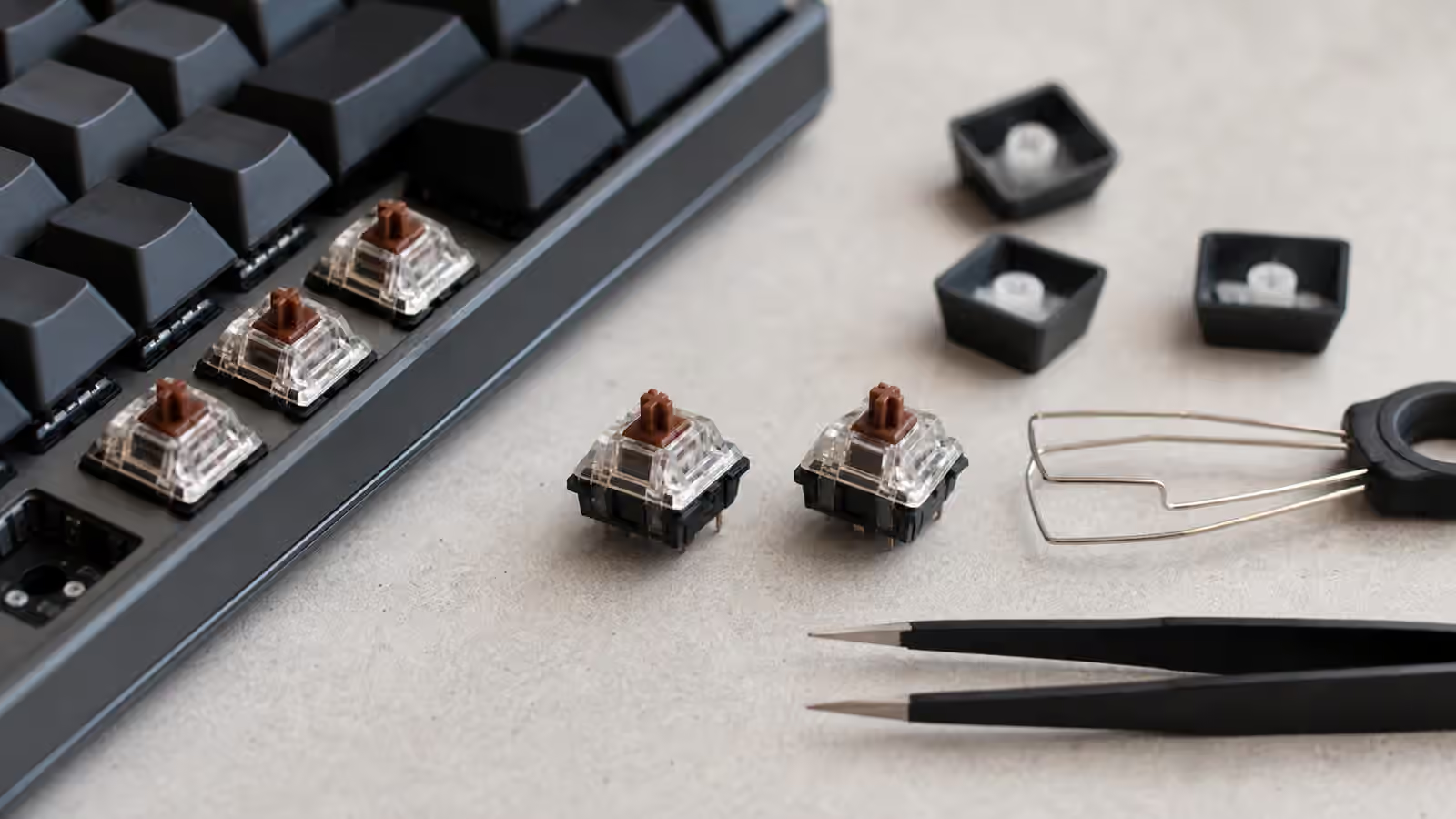
Switch spring weight is one of the smallest keyboard details that can change the whole day. A switch can be smooth, well lubed, and mounted in a beautiful case, yet still feel wrong because the spring does not match your hands. Too light, and you may trigger keys while resting your fingers. Too heavy, and a long writing session turns into quiet finger work. Too slow on the return, and repeated keys feel lazy. Too aggressive at the top, and every press feels like it is pushing back before you have committed.
The Complete Switch Guide explains the broad families of linear, tactile, and clicky switches. Spring weight sits one level deeper. It does not decide whether a switch is tactile or linear, but it decides how much effort that switch asks from your fingers, how quickly it returns, and where the press feels most resistant. Once you understand springs, switch preference becomes less mysterious. You stop saying only “this switch is good” and start noticing “this stem is good, but I want it with a slightly heavier spring.”
The number on the spring is not the whole feel
Switches are often described with a gram number, but that number can refer to different points in the keypress. Some listings describe actuation force, which is the force near the point where the switch registers. Others describe bottom-out force, which is the force near the end of travel. Some use rough marketing numbers that are useful for comparison within one product family but less reliable across brands. This is why two switches both described as 62 g can feel different under your fingers.
The shape of the force curve matters as much as the headline number. A normal linear switch gets heavier as the spring compresses. A tactile switch adds a bump from the stem and leaf geometry, so the finger feels both spring resistance and tactile event. A clicky switch adds its own mechanism. The spring is always present, but it is not the only thing you feel. In a tactile switch, a heavier spring can make the bump feel more controlled, while a spring that is too light may let the bump feel sharp or unstable. In a linear, the spring is the main personality once smoothness and travel are settled.
Bottom-out habits matter too. If you press every key all the way down, bottom-out force may describe your experience better than actuation force. If you type lightly and release soon after actuation, the early part of the travel may matter more. That is one reason switch testers can mislead. A few taps on a loose tester tell you something, but they do not fully reveal how your hands behave after an hour of normal typing on a full keyboard.
Light springs reward light hands
Light springs can make a keyboard feel quick and effortless. They are common in gaming-oriented switches and in boards built for users who dislike fighting the keypress. With a light linear, repeated keys can feel fast because the press begins with little resistance. For a careful typist, that can be comfortable and fluid.
The risk is accidental input. If you rest your fingers heavily on the home row, a very light spring may register before you intend it. Even if it does not actuate, it may keep the switches partly compressed, so the board feels nervous instead of relaxed. Light springs can also make some tactile switches feel less stable because the tactile event dominates the spring. The bump may feel dramatic at first and messy over time.
Light does not automatically mean comfortable. If a switch is so light that you tense your hands to avoid mistakes, the keyboard is asking for effort in a different way. Comfort is not just low force. It is the absence of constant correction. A slightly heavier switch that lets your fingers rest confidently can be less tiring than a featherweight switch that makes you monitor every movement.
Heavy springs create control and cost
Heavier springs give each keypress more resistance and often more confident return. They can suit typists who press decisively, people who dislike accidental input, and tactile switch fans who want the bump to feel planted rather than jumpy. A heavier linear can feel deliberate and stable, especially in a firm board with taller keycaps.
The cost is fatigue. A switch that feels satisfyingly weighty during a five-minute test can become tiring during a long document, coding session, or day of chat and shortcuts. Finger fatigue does not always announce itself as pain. It can show up as slower typing, more bottom-out impact, or a desire to stop using the board. If you notice yourself hovering above the keys instead of settling into them, the weight may be asking too much.
The board around the switch changes the impression. A tall full-height keyboard with high keycaps and a stiff plate can make heavy springs feel more demanding because every press has a long, firm landing. A softer mount or lower profile can make the same weight feel more manageable. If desk height and wrist angle are already marginal, heavy springs can exaggerate the problem. The Keyboard Desk Fit guide is worth reading if spring weight seems comfortable in theory but tiring in actual use.
Long, slow, and progressive springs
Spring weight is not only about grams. Spring length and design change where resistance appears during the press. A longer spring is preloaded more when installed in the switch, so it can feel stronger near the top of travel even if the listed bottom-out weight is familiar. That early resistance can make the switch feel eager to return and less likely to sit half-pressed under resting fingers. Many people describe long springs as snappy because the reset feels more assertive.
Slow springs, progressive springs, and multi-stage springs shape resistance differently through the travel. The exact terminology varies by vendor, but the practical question is simple: does the switch get heavier at a steady rate, or does it change character as it compresses? A progressive spring may feel approachable at the top and firmer near the bottom. That can suit typists who want an easy start without a harsh bottom-out. A spring with stronger preload may feel more controlled at the top and return faster after each press.
These differences are subtle compared with changing switch family, but they become obvious once the rest of the board is stable. If you are still deciding between tactile and linear, do not start by buying five spring types. If you already love a switch but want it slightly more controlled, lighter, or quicker on return, spring shape becomes one of the cleanest tuning tools.
Spring swapping is precise but repetitive
A spring swap means opening each switch, removing the original spring, installing a new spring, and closing the switch. On a full keyboard, that is a lot of small work. It belongs in the same patience category as lubing and filming, which the Keyboard Modding Guide covers in more detail. The difference is that spring swapping changes the force of the switch directly rather than trying to smooth or tighten the parts around it.
Clean handling matters. Springs are small, easy to mix up, and easy to contaminate with too much lubricant. Many builders lightly oil springs to reduce ping, but a heavy grease treatment can make the switch feel sluggish or inconsistent. Bag lubing with a thin oil is common because it coats many springs lightly at once. The goal is not to make the spring wet. It is to reduce metallic noise while preserving the spring’s movement.
Work in small batches if you are learning. Open a few switches, swap the springs, test them in a hot-swap board or tester, and compare them against stock switches before committing to the whole set. If the new weight is wrong, discovering that after five switches is mildly annoying. Discovering it after ninety switches is how a relaxing mod becomes a chore.
Matching springs to switch families
Linears reveal spring preference clearly because there is no tactile bump to distract from the force. If a linear feels too easy to mistype, a heavier or longer spring may fix the problem without changing the switch’s sound and smoothness. If it feels tiring, a lighter spring can make the same stem and housing usable for longer sessions. This is why spring swapping is popular among linear fans who already have a favorite switch but want a more personal effort level.
Tactiles are more complicated. A spring that is too light can make a strong bump feel abrupt or make the return feel uncertain. A spring that is too heavy can bury a mild bump because the finger is mostly noticing resistance. The best tactile spring supports the bump without stealing the entire experience. If you like the shape of a tactile but find it too sharp, slightly more weight can sometimes smooth the perception. If you like the bump but tire quickly, a lighter spring may help, as long as the switch still returns cleanly.
Clicky switches leave less room for subtle spring tuning because the click mechanism dominates sound and feel. A spring swap can still change weight and return, but it will not make a loud clicky switch appropriate for a quiet room. If noise is the real problem, the Low-Noise Keyboard Setup guide will help more than a spring bag.
Silent switches deserve attention because their dampeners can make return feel softer. A slightly stronger spring can help a silent switch feel less mushy, especially if the dampening pads absorb some of the top-out and bottom-out feedback. That does not mean every silent switch needs heavy springs. It means the spring has to overcome both the normal switch mechanism and the softer landing created by the dampeners.
Testing with your real typing
The best spring test is boring and realistic. Put the switches in the keys you actually use, then type something ordinary for long enough to stop performing for the test. A switch tester can tell you whether a weight is obviously wrong. A paragraph, an email, a code file, or a game session tells you whether the weight fits your habits. Pay attention to mistakes, not just pleasure. A switch that feels exciting for a minute but creates extra corrections is not doing its job.
Try a small cluster before rebuilding a whole board. On a hot-swap keyboard, install the candidate spring weight under common letters and modifiers. Leave nearby keys stock so the contrast is obvious. Notice whether the new springs make you bottom out harder, release faster, or rest more calmly. If the difference disappears during normal use, the swap may not be worth doing. If your hands immediately relax, that is better evidence than any spec sheet.
The right spring is the one that lets the switch disappear. You should not be thinking about grams while working. You should be typing, correcting less, and feeling no urge to fight the keyboard. For some people, that means light linears. For others, it means medium tactiles with confident return. For heavy typists, it may mean long springs that resist accidental presses without becoming tiring. The spring is a small coil of metal, but it decides how much of the keyboard’s personality reaches your fingers before anything else has a chance to matter.