The spacebar is the loudest honest witness on many mechanical keyboards. Letter keys can feel smooth, switches can be carefully chosen, and the case can sound refined, but one rattly spacebar will make the whole board seem unfinished. It is long, lightly supported in the middle, struck by thumbs from different angles, and connected to a stabilizer system that magnifies small mistakes. When people say a keyboard sounds cheap, the spacebar is often the part they heard first.
Spacebar tuning is not one fix. Rattle, tick, slap, sluggish return, scraping, and hollow resonance come from different causes. Adding more lubricant to everything can hide some problems and create others. Stuffing foam into the cap can lower pitch but will not straighten a warped bar. Replacing stabilizers can help, but only if the old stabilizers were the real issue. Good tuning starts by listening closely enough to name the problem.
For the larger stabilizer system, read the Complete Stabilizer Guide . For the way desk surface and case dampening shape sound around the spacebar, pair this guide with Keyboard Desk Mats and Surface Sound and Keyboard Foam and Dampening . This page stays with the long key itself: how it moves, why it complains, and how to test changes without turning a small annoyance into a project spiral.
Listen before opening the board
Press the spacebar in the center, then near the left side, then near the right side. Use normal typing force first. Then press slowly until the switch actuates and the stabilizer begins to move. A rattle usually sounds loose and broad, as if metal or plastic is vibrating across the stroke. A tick is sharper and more directional, often appearing on one side. A slap is a hard bottom-out or top-out sound. A sluggish return feels like the bar hesitates or rises unevenly.
This quick test matters because the wrong fix is easy. A sharp tick on one side may come from an unbalanced stabilizer wire or uneven lubricant placement. A hollow boom may come from the spacebar cavity or the desk surface, not the stabilizer. A scratchy feel may be the cap rubbing the case or plate. A slow return may be too much lubricant, a warped cap, binding stabilizer stems, or a switch that is too weak for the cap and stabilizer friction.
Record a short sound sample if you are unsure. The recording does not need to impress anyone online. It only needs to give you an honest before-and-after reference. Human memory is bad at sound comparison, especially after twenty minutes of repeated tapping. A quiet desk, same typing force, and same phone position are enough to tell whether a change helped.
The stabilizer wire sets the baseline
The stabilizer wire is the metal bar that lets the long key move evenly when pressed off-center. If the wire is bent or unbalanced, one side of the spacebar may hit or lift differently from the other. That unevenness can create tick, twist, or a feeling that the spacebar is arguing with itself. Wire balance is one of the reasons experienced builders spend time on stabilizers before installing switches and keycaps.
Balancing a wire is delicate work. The goal is not to manhandle it into submission. A small bend can change the feel. A large careless bend can make the wire worse. If the keyboard is a prebuilt under warranty, or if the stabilizer is difficult to remove, it may be smarter to do light external tuning or ask a builder than to tear the board apart. The right level of intervention depends on the value of the board and your tolerance for risk.
Lubricant belongs where parts contact and move, not everywhere visible. A small amount on wire contact points can quiet rattle. Too much can make the key feel heavy, gather dust, or migrate. If the spacebar returns slowly after tuning, excess lubricant is one of the first suspects. More grease is not a sign of more care. Controlled placement is the care.
The keycap can be the problem
Spacebars are long enough to show manufacturing variation. A slightly warped bar may rock, tick, rub, or return inconsistently even with good stabilizers. Thick PBT spacebars are sometimes more prone to subtle warping than smaller caps, depending on the set and production method. ABS spacebars can shine faster with use but may be straighter in some sets. Neither material wins automatically. The individual cap matters.
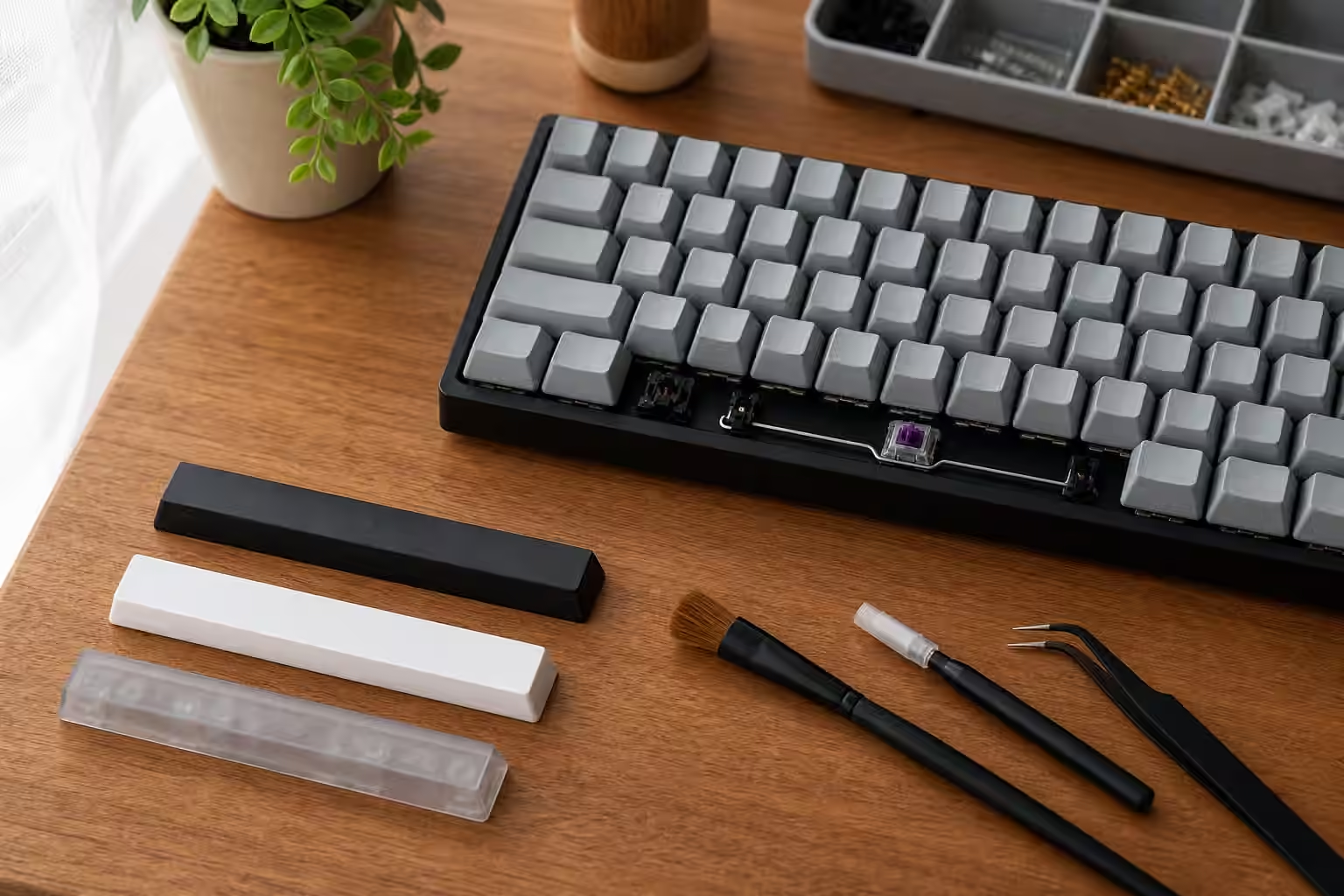
Remove the spacebar and place it stem-side down on a flat clean surface. Look for rocking. Then rotate it and check again. This is not a laboratory measurement, but it can reveal an obvious bend. If you have another compatible spacebar, test it on the same keyboard before changing stabilizers. A known-good bar can separate a cap problem from a board problem in a few minutes.
Spacebar fit also depends on stems and stabilizer insert alignment. A cap can be compatible on paper and still sit tightly enough to bind. If pressing one side feels different from the other, inspect whether the cap is fully seated on the switch stem and both stabilizer inserts. Do not force it down with heavy pressure. A cracked stem or damaged stabilizer insert creates a harder problem than a noisy key.
Foam changes tone, not geometry
Adding foam, silicone, tape, or other material inside a spacebar can lower pitch and reduce hollow resonance. It can be useful when the stabilizer is already controlled but the cap itself sounds thin or cavernous. The material should be light, secure, and positioned so it does not interfere with stems, stabilizer inserts, or travel. If the key starts returning slowly, the material may be too heavy or rubbing.
Foam is often treated as a magic quieting step because the sound change is immediate. The danger is that it can distract from the original cause. A foamed spacebar with a ticking stabilizer is still a ticking spacebar, only lower in pitch. A foamed warped bar is still warped. Use foam after the movement is clean, not as a substitute for making the movement clean.
The desk underneath also changes the spacebar. A large key can send a surprising amount of vibration into a hollow tabletop. Move the keyboard onto a desk mat or folded towel for a temporary test. If the spacebar becomes much less offensive, the surface is part of the sound. That does not mean the board is solved, but it tells you that internal tuning is only one part of the acoustic chain.
Test like a typist, not a metronome
After each change, type real sentences. Many spacebars sound acceptable when tapped in isolation and annoying during actual typing. Thumbs strike from angles, sometimes lightly and sometimes with emphasis. Games, shortcuts, and long writing sessions use the spacebar differently. The tuned key needs to survive the way you use it.
Also test the neighboring keys. Stabilizer work can disturb nearby switches or keycaps, especially on hot-swap boards where removing caps and switches may move things slightly. A spacebar that now sounds good but causes an adjacent key to misfire is not finished. The Keyboard Troubleshooting guide is useful if tuning reveals chatter, dead keys, or socket issues.
Know when to stop. The spacebar does not have to sound like someone else’s recording. It has to return reliably, feel even enough under both thumbs, and avoid dominating the board. Once the rattle is controlled and the return is clean, further changes can become taste rather than repair. Spacebar tuning rewards patience, but it also rewards restraint. A long key with good stabilizers, a straight cap, modest lubricant, and a sensible desk surface can make the whole keyboard feel more intentional.