Most people meet mechanical keyboards through a familiar row-staggered layout. The keys lean diagonally because typewriters once needed room for mechanical linkages, and the shape stayed with computer keyboards long after the original reason disappeared. Ortholinear and column-staggered keyboards ask a simple but disruptive question: what if the keys were arranged for fingers instead of historical habit?
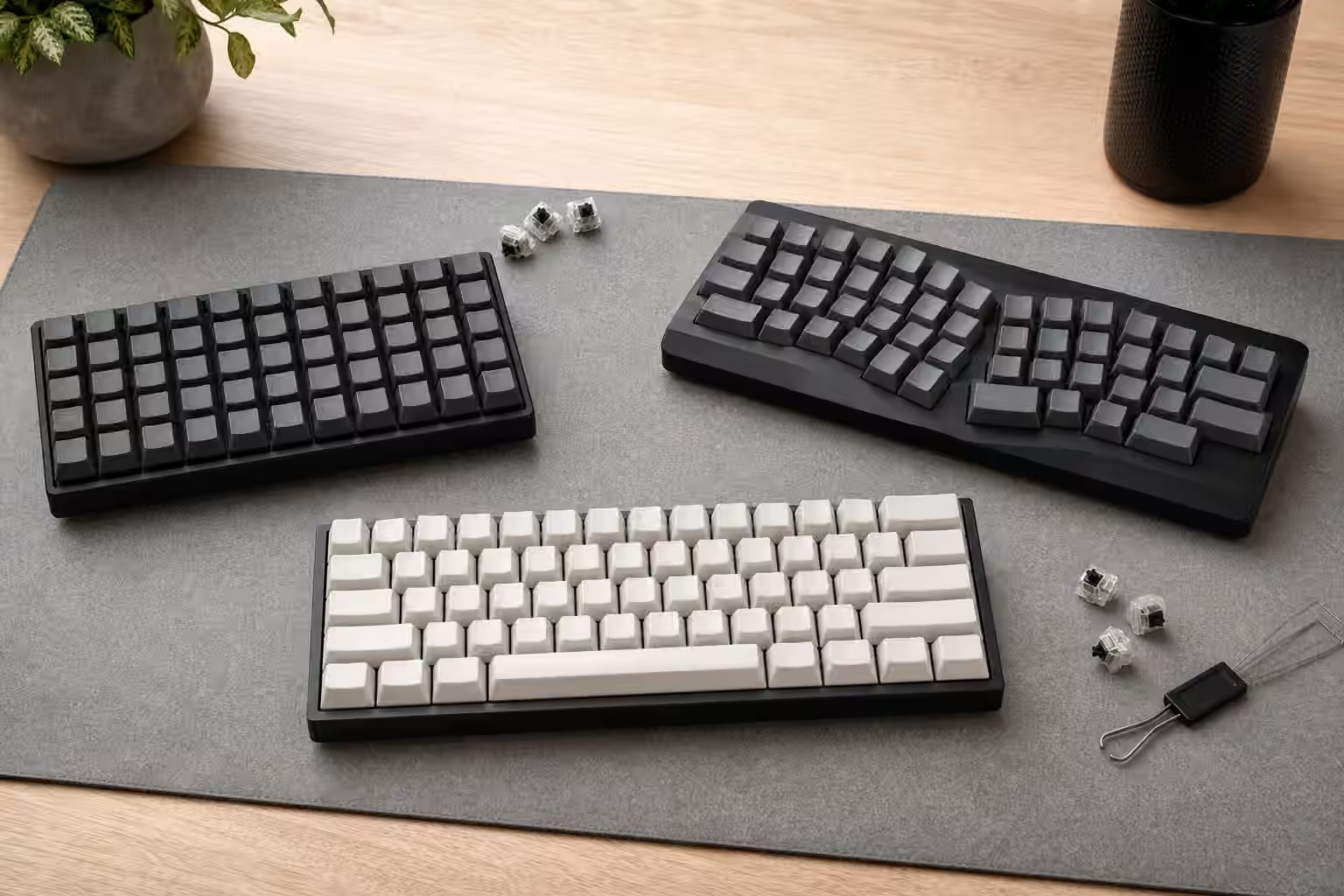
An ortholinear keyboard places keys in a clean grid. Each column lines up vertically, and each row lines up horizontally. A column-staggered keyboard goes one step further toward hand shape. It keeps keys in finger columns, but moves each column up or down so the keys sit closer to the natural lengths of the fingers. Both layouts can be compact, split, programmable, or highly customized. Neither is automatically more comfortable for every person. They are tools with different assumptions.
If you are still choosing among full-size, TKL, 75 percent, 65 percent, and 60 percent boards, read the Keyboard Layout Guide first. This guide is about the less familiar geometry that often appears after someone has already tried a compact board and started wondering why the columns do not follow the hand.
Ortholinear is simple to understand and strange to type
Ortholinear boards look tidy because every key sits in a grid. The visual logic is immediate. The muscle memory is not. On a row-staggered board, the left hand learns that the bottom row shifts one way and the top row shifts another. On an ortholinear board, those offsets vanish. Keys that used to sit under a diagonal reach now sit directly above or below the home position. This can feel sensible after adaptation, but the first few days may produce surprising errors.
The hardest keys are often not the letters people expect. Common diagonals such as C, V, B, N, or punctuation may feel displaced because the old board trained the hand around stagger. The problem is not that ortholinear is objectively confusing. The problem is that the familiar keyboard has been quietly teaching a shape for years. The new board asks the fingers to forget part of that map.
Ortholinear layouts are popular on small boards because a grid uses space efficiently. A 40 percent or small split can place many useful keys within a compact rectangle. The trade-off is that layers become more important because the board usually lacks a number row, function row, dedicated arrows, or navigation cluster. The Compact Keyboard Layers for Daily Work guide becomes essential reading once the physical layout removes familiar keys.
Column stagger follows the fingers
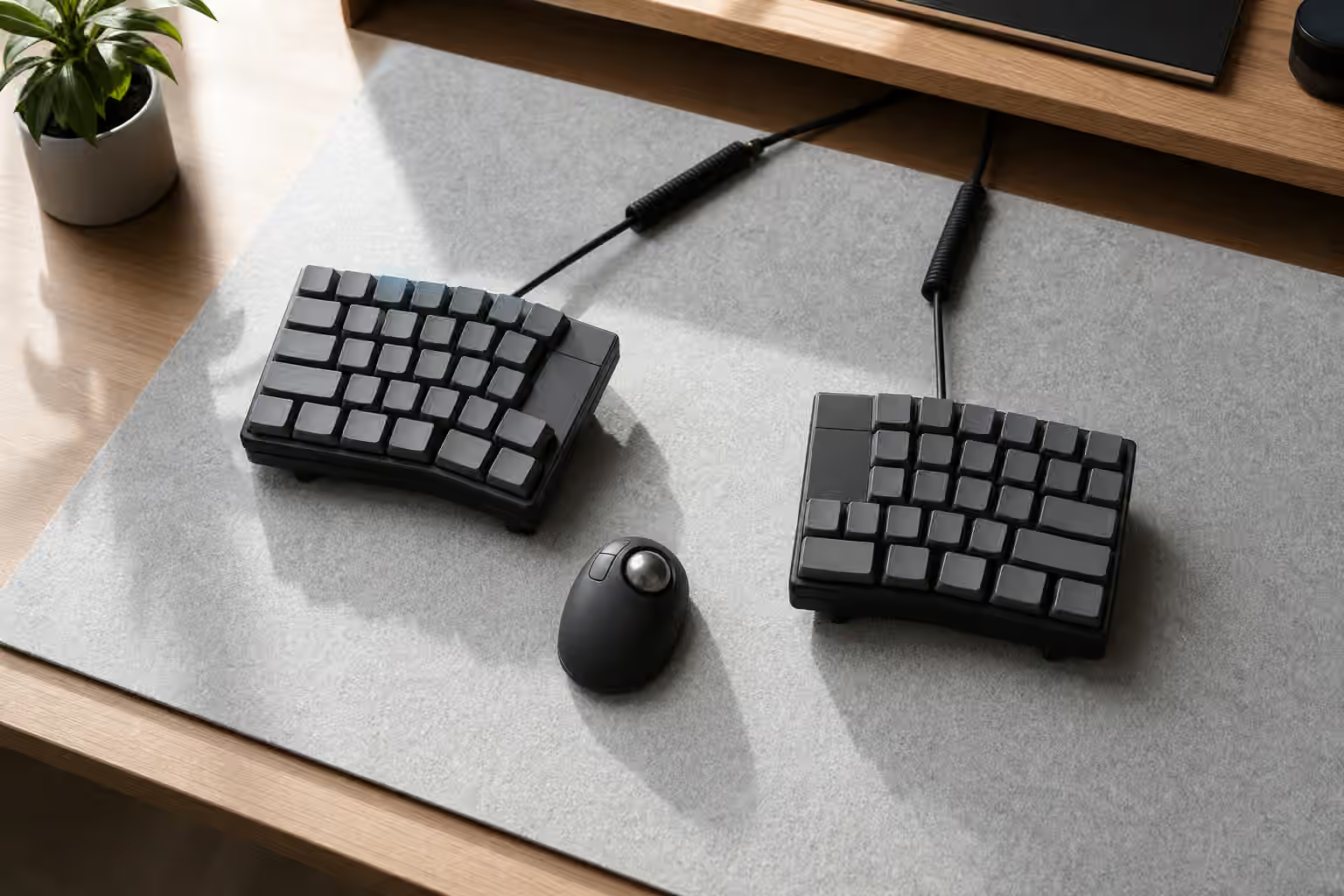
Column-staggered boards are usually sold as ergonomic because they move columns to match finger length. The middle finger reaches farther than the ring finger. The pinky is shorter and weaker. A column-staggered board can reduce sideways bending by letting each finger move mostly up and down through its own column. Many split ergonomic keyboards use this approach, often paired with thumb clusters and tenting.
The advantage is most obvious when the board is split and the halves can be placed at shoulder width. The hands no longer angle inward as much, and the fingers do not have to chase diagonal rows. The Split Keyboards and Ergonomic Layouts guide covers that larger setup. Column stagger is one ingredient in the arrangement, not the whole ergonomic result.
There are trade-offs. A strong column stagger can make the keyboard feel less transferable. Someone used to a normal laptop may sit down and struggle immediately. Some column-staggered boards put keys in places that are excellent for one hand size and awkward for another. Thumb clusters can be brilliant or crowded depending on thumb reach. The shape deserves a trial period before it becomes a daily work commitment.
Keycaps and legends need a compatibility check
Ortholinear and column-staggered boards make keycap decisions more interesting. Many use 1u keys across most positions, which sounds simple until you want legends that match a custom layer map. A normal keycap set may include plenty of letter keys but not enough correct row profiles for a grid, or it may include legends that no longer match the physical position. Uniform profiles such as DSA, XDA, KAM, or other flat or lightly sculpted sets can make rearrangement easier because each cap can move without changing row shape.
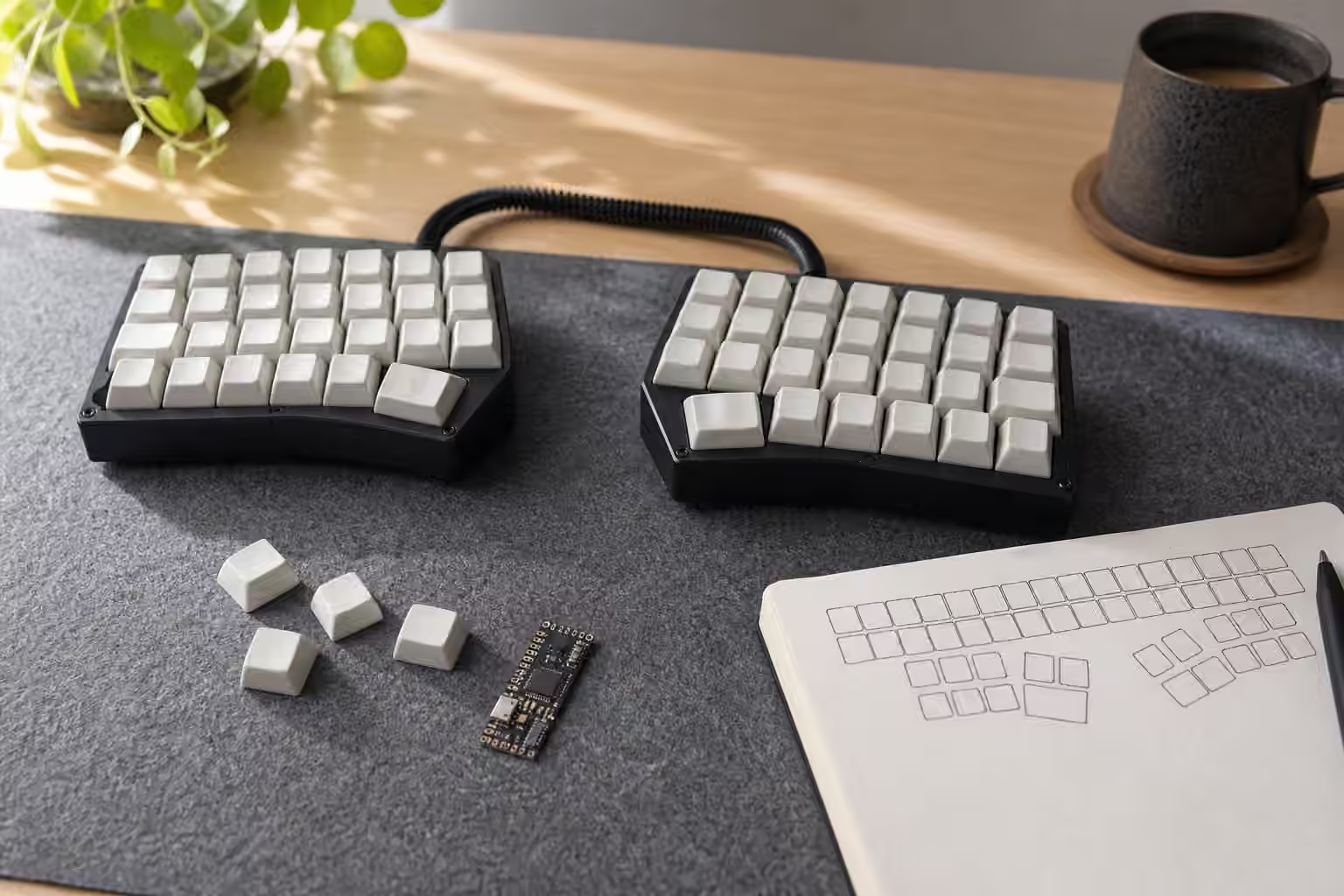
Sculpted profiles can still work, but they require planning. On an ortholinear board, the rows may correspond cleanly to profile rows, or they may not if the layout is unusual. On a column-staggered split, the stagger can make sculpting feel different under each finger. Blank keycaps are a practical answer for many users because firmware will change faster than legends. The Keycap Compatibility guide explains the broader fit check, and Keycap Profiles explains why height and row shape matter under the fingers.
Legends become less important once the map is learned, but they matter during adaptation. Some people use temporary stickers, printed reference cards, or a desktop keymap view while learning. Keep that reference outside the permanent design if possible. A clean keyboard with a clear mental model is usually better than a beautiful set of legends that describe last month’s firmware.
Adaptation is a real cost
Switching geometry is not the same as changing switches. A new switch asks the fingers to adapt to force, travel, and sound. A new layout asks the brain to update spatial memory. The first week can be slower, especially for passwords, shortcuts, terminal work, and punctuation-heavy writing. If the board also uses layers, thumb keys, home-row mods, or a non-QWERTY layout, the learning curve stacks quickly.
This does not mean the experiment is a bad idea. It means the test should be fair. Do not judge a column-staggered board after ten minutes if the goal is all-day comfort. Also do not force yourself through weeks of pain because the layout looks more rational. The hands are allowed to have opinions. A keyboard can be theoretically elegant and personally wrong.
Use the new board for ordinary work in controlled sessions. Start with writing and browsing before adding intense shortcuts or games. Keep the old board nearby for urgent tasks if the transition affects work. If the new geometry feels promising but too strange, reduce other variables. Use familiar switches, familiar keycap height, and a conservative layer map. Change the shape first, then refine sound and firmware later.
Choose the geometry for the job
Ortholinear boards make sense when you like compact grids, want a portable programmable board, or enjoy the clarity of columns and rows. They can be excellent for people who already rely on layers and want the smallest practical desk footprint. Column-staggered boards make sense when finger travel and hand angle are the main concerns, especially in split designs with useful thumb keys.
A traditional staggered keyboard still makes sense when compatibility, shared use, gaming habits, laptop similarity, or keycap choice matter more than geometric experimentation. There is no shame in staying with row stagger. The goal is not to graduate away from the normal keyboard. The goal is to choose the shape that makes daily typing easier to trust.
Before buying, imagine the whole system. The physical layout, firmware, keycaps, desk placement, switch weight, and adaptation time all arrive together. A grid board with poor layers can feel cramped. A column-staggered board with awkward thumb keys can feel overdesigned. A familiar compact board with smart firmware may be the calmer choice. Ortholinear and column-staggered keyboards are worth exploring because they reveal how much habit lives in the keyboard’s shape. Treat them as experiments in hand geometry, and the decision becomes less about novelty and more about fit.