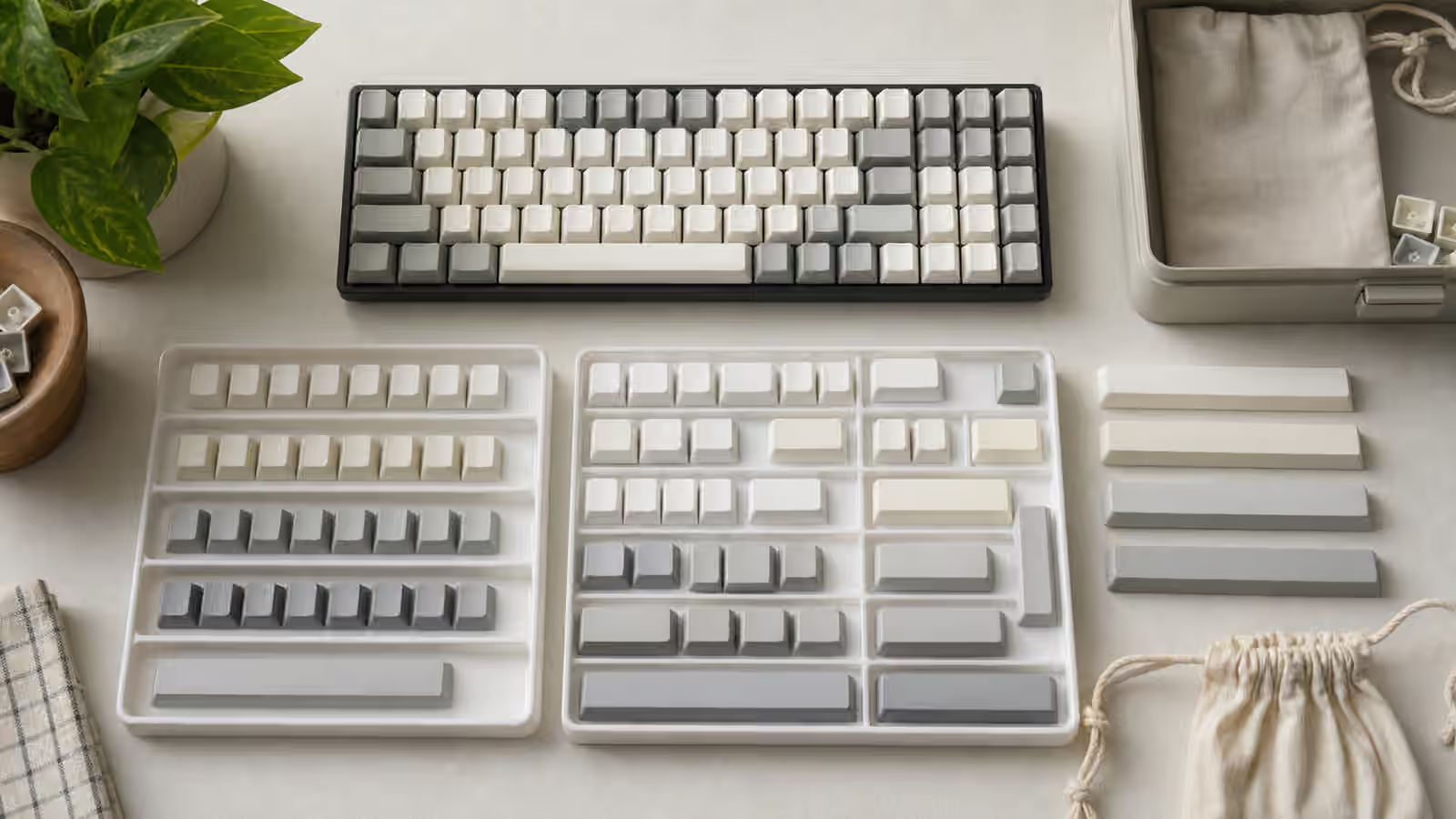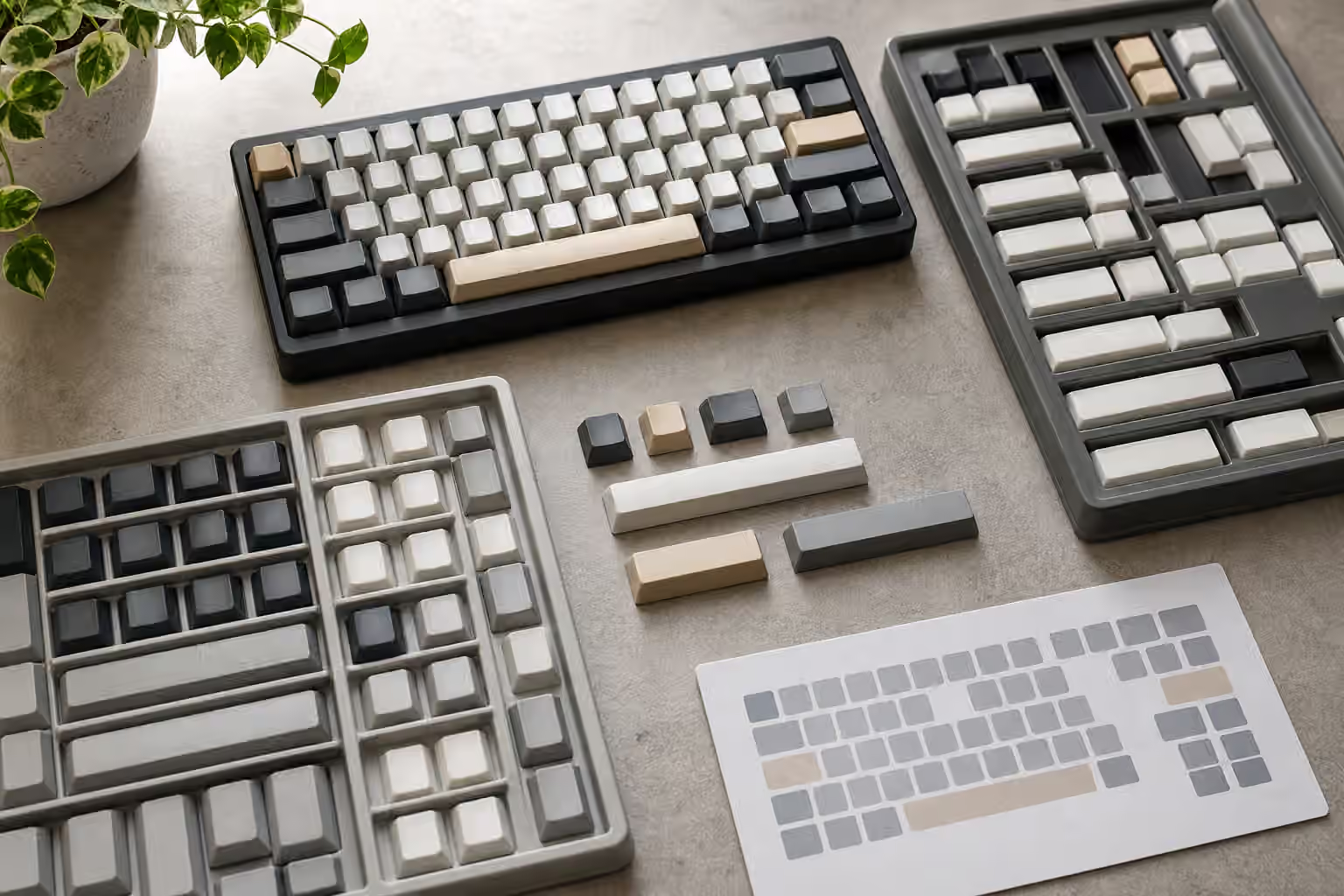
Keycap sets are sold as colors and profiles, but they succeed or fail as coverage. A set can have the exact shade you wanted, a texture you love, and legends that look clean in photos, then still leave your keyboard unfinished because one right Shift, one bottom-row modifier, or one spacebar is missing. Kitting is the quiet buying problem behind that disappointment.
A keycap kit is a group of caps sold together. The base kit carries the common keys. Child kits add support for layouts, colors, accents, languages, or decorative extras that the base kit does not include. The hard part is that a keyboard needs physical fit before it needs beauty. If the caps do not match the layout, the set becomes an expensive tray of almost-right pieces.
If you have not already read Keycap Compatibility , start there. This guide goes one layer deeper into buying decisions: how to read base kits, when child kits matter, why spacebars cause so many surprises, and how to decide whether a set really supports the keyboard on your desk.
The base kit is not universal
The phrase base kit sounds complete, but it usually means complete for a target family of common layouts. A generous base kit may cover full-size, tenkeyless, 75 percent, 65 percent, and standard 60 percent boards. A lean base kit may focus on ANSI layouts and leave ISO, split spacebars, Alice-style boards, or unusual bottom rows to separate kits. Neither approach is automatically wrong. The problem begins when buyers assume base means every keyboard.
Look first at physical key sizes, not at legends. A 65 percent board often needs a 1.75u right Shift. Some 75 percent boards need a 1u key in the right column. A classic winkeyless bottom row may need 1.5u modifiers and a 7u spacebar. A Tsangan-style bottom row asks for a different set of modifiers than a standard 6.25u spacebar layout. If those sizes are absent, the colorway does not support the board without substitutions.
Legends are a second layer. A base kit may include a key that physically fits but carries a legend that feels odd in that position. Many users accept that, especially on compact boards where layer keys are personal. Others care about legends matching the function. Decide which kind of buyer you are before ordering. A mismatched legend is harmless to the computer, but it can bother the person who looks at the board every day.
Child kits solve specific gaps
Child kits exist because one base kit cannot reasonably cover every preference without becoming huge and expensive. A spacebar kit may include 7u bars, 3u bars, 2.25u bars, 2.75u bars, convex small bars, and extra colors. An extension kit may add support for 40 percent boards, Alice layouts, split Backspace, split right Shift, or unusual bottom rows. International kits may add legends for regional layouts. Accent kits may change only a few visible keys.
The useful habit is to treat each child kit as a specific answer to a specific missing key. Do not buy one because it looks important. Compare your keyboard layout to the base kit first, then identify what is absent. If the base kit already covers your board and you do not care about accent colors, the child kit may be decorative. If your board uses split spacebars, the spacebar kit may be the difference between a finished build and a compromised one.
Group buys and preorders make this more important because missing a child kit can be hard to fix later. Once production closes, extras may be limited or expensive. The Keyboard Group Buys and Preorders guide covers the broader patience and risk side, but keycap kitting is one of the most practical reasons to slow down before ordering.
Spacebars deserve special attention
Spacebars cause trouble because they look simple and vary quietly. The most common full-size and tenkeyless layout uses a 6.25u spacebar, but many custom keyboards use 7u. Split-spacebar boards may need two or three shorter bars. Alice-style boards often need bars that are not present in ordinary base kits. Some compact boards use odd combinations that depend on the PCB, plate, and stabilizer layout.
The spacebar also needs the correct stem positions. A bar can be the right length and still not fit if the stabilizer stems are placed differently. This is especially relevant for less common sizes and older or nonstandard boards. The Split Spacebar and Thumb Key Layouts guide explains why these layouts can be useful, but they ask more from keycap kits than a normal bottom row.
Convex shape matters for small bars. A 2.25u key from a normal row may physically sit where a thumb key goes, but it may feel wrong because its top shape is meant for a finger row, not a thumb. Spacebar kits often include convex small bars for that reason. They are not only color extras. They can make a thumb cluster feel intentional instead of improvised.
Row profile can make a correct key feel wrong
Kitting is not only size. Sculpted profiles use different shapes on different rows. A 1u key from row one may not feel right on row three even if it fits the switch. If a kit includes extra keys but not in the rows your layout needs, the board can end up visually and physically uneven. This is common on compact layouts where keys move away from their standard positions.
Uniform profiles reduce that problem because every row has the same shape. That is one reason some people prefer uniform keycaps on ortholinear, 40 percent, or heavily remapped boards. The Keycap Profile Height and Typing Feel guide covers the typing side of this choice. From a kitting perspective, uniform profiles are forgiving. Sculpted profiles can feel more guided under the fingers, but they require more careful row matching.
Pay attention to homing keys too. If your layout moves the home position or uses a nonstandard alpha arrangement, scooped or barred homing keys may not land where your fingers expect. Extra homing keys are sometimes included in child kits for alternate layouts. If you touch type, those small details matter more than novelty caps.
ISO, ANSI, and language support
Physical ISO support requires more than a tall Enter key. It also needs the short left Shift and the extra key near it. Language support adds another layer of printed legends. A kit may include physical ISO keys but only generic legends. Another may include UK ISO but not other regional legends. For many typists, physical fit is enough because they know their layout. For others, especially shared keyboards or language-specific setups, the legends matter.
The ANSI, ISO, and JIS Layouts guide gives the broader layout context. When buying keycaps, the practical question is exact: does this kit include the physical keys and legends you need for your version of the layout? Do not rely on a product title that says international support without looking at the actual kit image or list.
JIS and other less common physical layouts require even more caution. Many decorative keycap sets are designed around ANSI first. Some support ISO as an add-on. Far fewer support every regional physical arrangement cleanly. If the keyboard uses a layout outside the common custom keyboard ecosystem, measure first and assume less.
Novelties and accents are not coverage
Novelty kits can make a board personal, but they should not distract from the functional kit check. A novelty key can replace Escape, Enter, Backspace, or a few modifiers, but it rarely solves a missing 1.75u Shift or a 7u spacebar. Accent kits are similar. They change the color balance and can make a set feel finished, but they are not a substitute for layout support.
This matters because novelty renders often carry the emotional appeal of a set. They show the theme, the desk mood, and the collector value. The actual daily success of the set may depend on a small gray modifier hidden in the base kit diagram. If the budget only allows one add-on, buy the one that makes the layout work before the one that makes the photo more fun.
Artisan keycaps belong in a different category again. They are single-key accents, not kit coverage. The Artisan Keycap Placement and Care guide is useful once the base board is already covered. An artisan on Escape cannot rescue a missing right-column key.
A calm way to check a set
Before buying, open a picture of your keyboard layout and a picture of the keycap kit. Match the large keys first: spacebar, Shift keys, Backspace, Enter, Caps Lock, Tab, and bottom-row modifiers. Then match any right-column or compact-layout keys. Then check row profile for the keys that move. After that, think about legends, accents, and novelties.
If the keyboard is a kit you have not built yet, confirm the exact layout you plan to assemble. A PCB may support several bottom rows, but the plate and stabilizers decide what you will actually use. The Keyboard PCBs and Hot-Swap Sockets guide explains that compatibility chain. Keycap buying should happen after that chain is clear, not before.
A keycap set should feel satisfying when it arrives, not like a puzzle with one missing piece. Kitting is how you protect that moment. Once you know the board’s physical needs, the base kit and child kits stop looking like confusing product fragments. They become a simple question of coverage. Does this set contain the keys, sizes, rows, stems, and legends that make your keyboard look and feel finished? If the answer is yes, the colors finally get to matter.