Soft-landing mods promise a simple kind of quiet. Put a small ring, clip, pad, or dampener between moving parts, and the hard impact at the bottom of the keystroke becomes softer. For a loud board in a shared room, that sounds attractive. The mod is cheap, reversible in many cases, and easier than opening switches or disassembling a case. It is also one of the easiest keyboard changes to misunderstand.
An O-ring does not make a clicky switch stop clicking. A silencing clip does not fix a rattly stabilizer. A switch pad does not change the desk resonance under the case. Soft-landing parts mainly change the impact at the end of the downstroke or, in some designs, the return stroke. That can be useful, but it also changes travel, firmness, and the feeling of completion at the bottom of the press. Quieting the board by making it feel worse is not a victory.
If the keyboard bothers other people, begin with Low-Noise Keyboard Setup so the whole sound chain is clear. If the board is hollow or bright, Keyboard Foam and Dampening may be more relevant. This guide is narrower. It explains when soft-landing mods help, what they cost, and why they should be tested on a few keys before covering the whole board.
O-rings shorten the landing
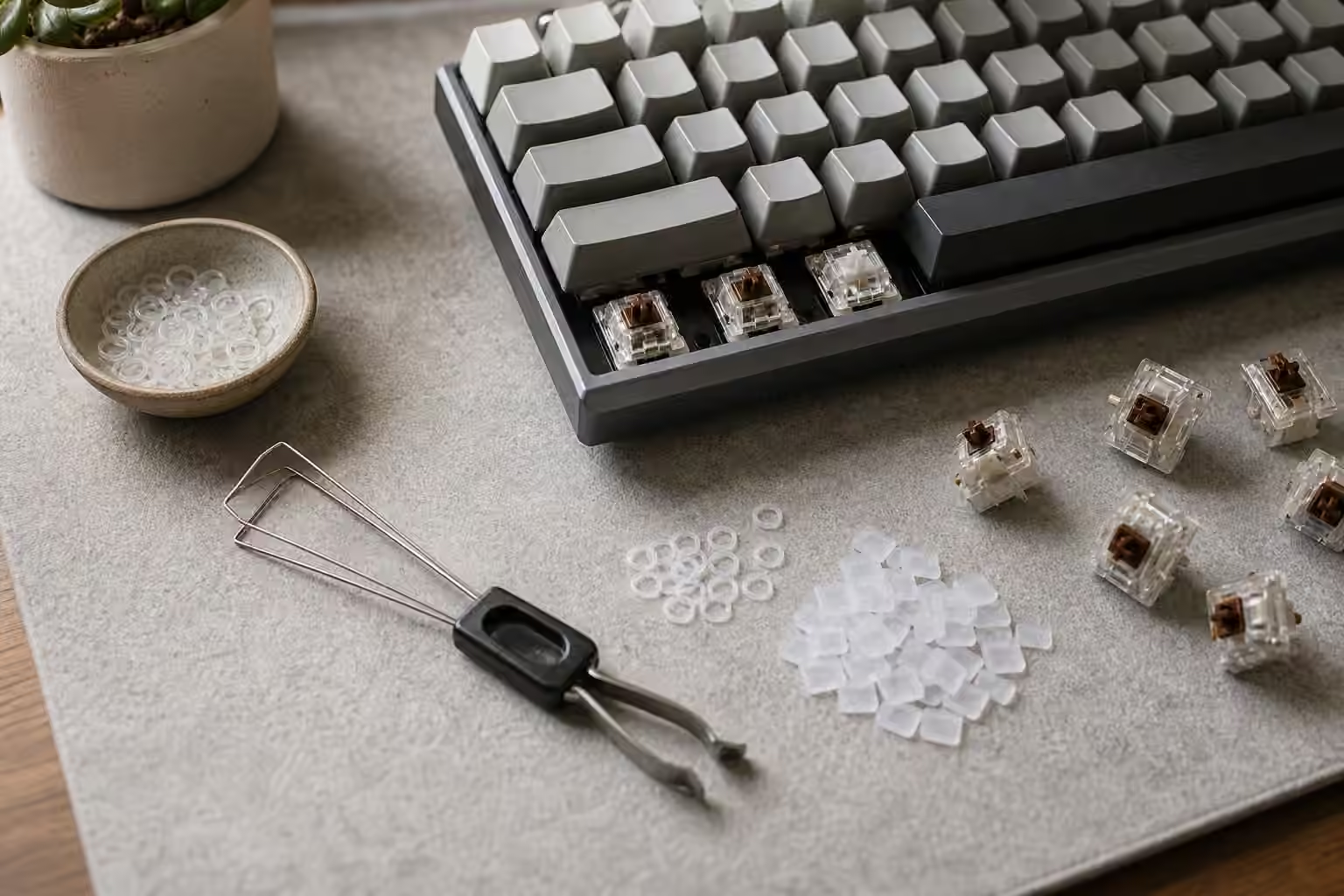
O-rings sit around the stems on the underside of keycaps. When the key is pressed, the ring contacts the switch housing or nearby surface before the hard plastic bottom-out happens. The sound becomes less sharp, and the key travel becomes shorter. Thickness and hardness decide how noticeable the change feels. A thin firm ring may slightly soften impact. A thick soft ring can make the key feel cushioned and abrupt.
The first surprise is that O-rings usually do more for bottom-out than for top-out. If your loudest sound is the switch returning, a stabilizer rattle, a click mechanism, or case resonance, O-rings may barely touch the problem. They can also make the board feel inconsistent if the caps, switch housings, and stabilizers do not all meet the ring in the same way. Large keys can feel especially odd because stabilizers and cap shape already complicate the travel.
O-rings are worth trying when the keyboard uses non-clicky switches, the main annoyance is hard bottom-out, and you type firmly enough to hit the bottom on most strokes. They are less appealing when you like crisp travel, rely on the full switch stroke for feel, or already use silent switches with internal dampening. Install them on a small cluster first. Type for a few days. The immediate quiet may impress you, but the long-session feel is the real test.
Clips and pads change the contact points
Silencing clips and switch pads work differently depending on the product and switch style. Some clips attach around the switch stem or housing to soften bottom-out and top-out. Some pads sit on the PCB or plate side to change how the switch or cap contacts the assembly. Some dampening approaches are built into the switch itself, as with silent switches that use internal pads on the stem. The common theme is contact control, not magic sound removal.
These parts can be useful when you want to avoid opening every switch. They can also create fit problems. A pad that changes switch seating can affect how securely a switch sits in a plate. A clip can interfere with keycap clearance or create a different feel on stabilized keys. A mod that works on one switch family may not fit another. This is why small testing matters more than product enthusiasm.
Soft-landing parts also change actuation experience indirectly. The electrical actuation point of the switch does not move just because the bottom feels shorter, but your perception of the stroke changes. If the key seems to stop soon after actuation, the board may feel fast and shallow. If the dampener is too soft, it may feel like the key falls into a cushion instead of landing cleanly. Neither response is universal. Some typists enjoy that softness. Others remove the parts after one paragraph.
Silent switches solve a different part of the problem
Silent switches include dampening inside the switch design, usually softening both bottom-out and top-out. They are often a better low-noise answer than adding external rings to a normal switch, because the dampening is integrated into the travel. The trade-off is that silent switches have their own feel. Some are controlled and pleasant. Some feel rubbery to people who prefer a crisp stop. The Complete Switch Guide and Switch Sample Testing guides can help you judge that before buying a full set.
External soft-landing mods still have a place. They are cheaper than a switch swap and easy to try. They can make a spare board more tolerable in a shared room. They can reduce harshness on a board where the switches are otherwise acceptable. But they should not be treated as the final answer to every noise complaint. If the current switches are clicky, scratchy, too heavy, or too light, a ring under the keycap is working around a deeper preference problem.
Stabilized keys deserve separate attention. The spacebar, Enter, Shift, and Backspace can remain loud after every letter key is softened. Stabilizer rattle and spacebar resonance are their own problems, which is why Spacebar Tuning and the stabilizer guide matter. A quiet alphabet with a clattering spacebar still sounds like a loud keyboard to everyone nearby.
The desk and typing style still matter
Soft-landing mods reduce impact at the key. They do not remove the force your hands send through the case into the desk. A bare hollow table can amplify even a damped switch. A desk mat can reduce that transfer and often changes the sound more naturally than rings do. The Keyboard Desk Mats and Surface Sound guide is useful because it covers the surface under the board, which is the cheapest part to test without touching the keyboard.
Typing style is part of the same equation. If you bottom out hard on every stroke, soft-landing mods may help, but they may also hide the habit instead of improving it. A slightly lighter touch can reduce sound while preserving normal switch feel. That does not mean hovering delicately over every key in a way that makes typing tense. It means noticing whether the board is being struck harder than the work requires.
Try the quieting stack in a calm order. Move the board onto a mat. Test a few O-rings or clips on common letter keys. Compare them with silent switch samples if possible. Listen to the spacebar separately. Change one thing, then type real work. The best soft-landing mod is the one you forget about because the board is easier to live with and still feels like itself. If the keyboard becomes mushy, inconsistent, or joyless, remove the parts without guilt. Reversible experiments are valuable because they teach the hands what they actually want.