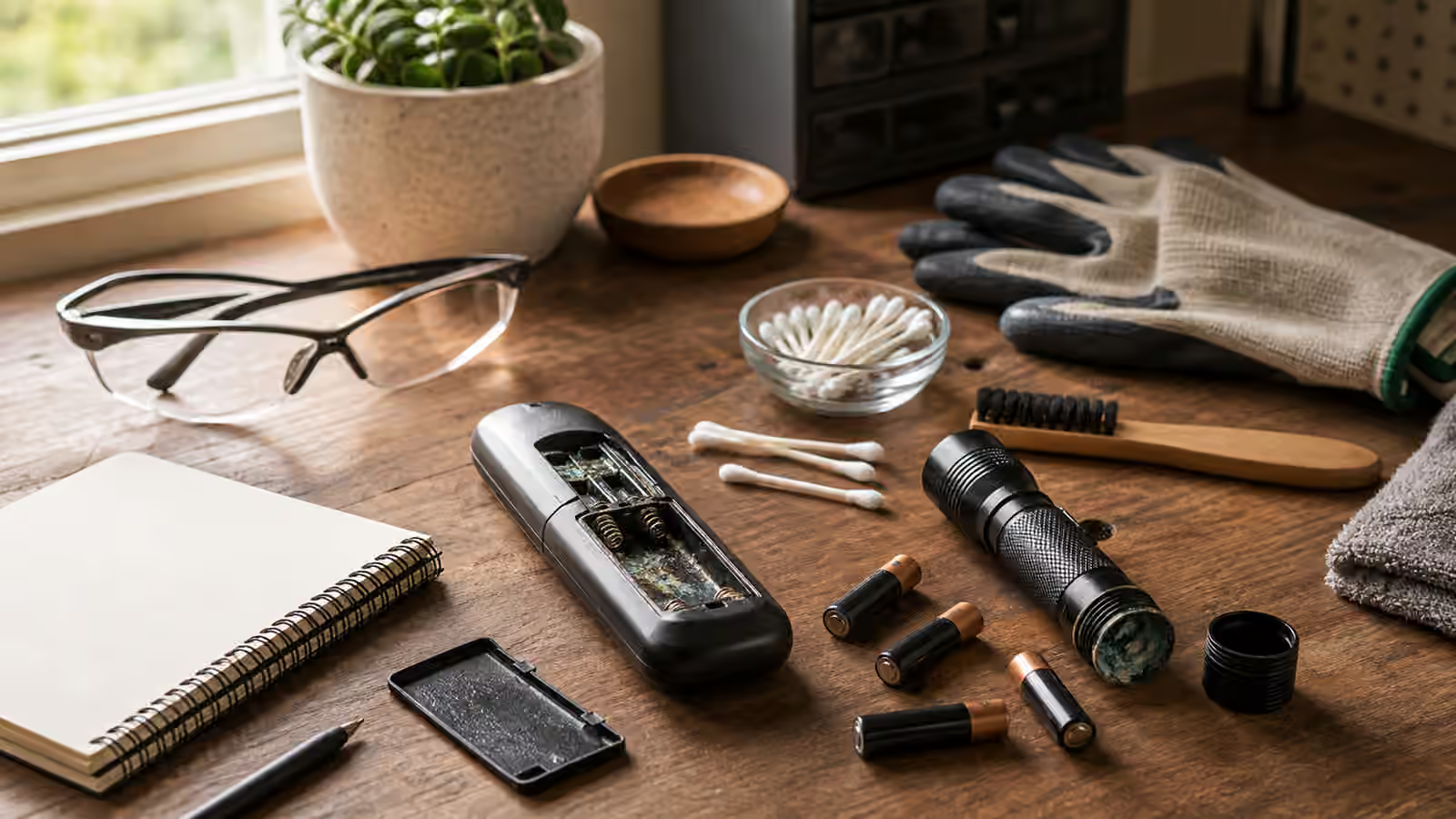
Battery corrosion usually appears at an annoying moment. A remote stops responding, a flashlight will not turn on during a storm, a holiday decoration comes out of storage with white crust around the contacts, or a small toy has batteries that were forgotten for too long. The visible mess invites a quick scrape and a hopeful set of fresh batteries. Sometimes that is enough. Sometimes the leakage has eaten a spring, stained the plastic, traveled under a board, or marked the device as finished.
Start With Isolation, Not Scrubbing
Remove the batteries if they come out without force. If one is stuck, do not pry hard enough to crack the case or fling residue. Place the batteries where they cannot roll into food areas, pockets, or a child’s reach, and dispose of them according to the rules available where you live. Wash your hands after handling them, even if you wore gloves. A crusty compartment is not usually a disaster, but it deserves more care than dust.
Photograph the compartment before cleaning. The picture tells you where the residue started, which battery end was affected, and whether springs, plates, or wires moved out of place. It also helps when you compare the device after cleaning. The habit from How to Photograph a Problem Before You Take It Apart is useful here because battery compartments are small and easy to misremember.
Read The Contacts And The Path Of Damage
The contacts are the real story. A thin white film on the surface of a spring may clean well enough for a remote that never leaves the sofa. A spring that has turned black, thinned, snapped, or lost its shape may no longer press firmly against the battery. A flat plate may look shiny after wiping while the seam beneath it remains corroded. If the device has vent holes, a speaker grille, or a circuit board visible near the compartment, look for residue that traveled beyond the battery bay.
Corrosion also reveals storage habits. Devices kept in hot cabinets, damp sheds, cars, or drawers for years are more likely to leak. Flashlights, seasonal decorations, rarely used remotes, and backup devices are common victims because the batteries stay installed while the object sleeps. A cleaned compartment is only half the repair if the same storage pattern continues.
Clean Small And Keep Liquids Controlled
The safe beginner move is dry removal first. A small brush, wooden toothpick, cotton swab, or folded cloth can lift loose residue without flooding the device. Work over a disposable surface or a cloth that will be washed separately. Keep the device oriented so debris falls out rather than deeper in. If a small amount of cleaner is appropriate for the residue and device, apply it to the swab, not into the compartment. The goal is controlled contact, not a wet bath.
Avoid metal scraping when you can. A sharp tool may remove corrosion, but it can also gouge plating, bend springs, bridge contacts, or leave tiny conductive bits. If a spring needs gentle reshaping after cleaning, move slowly and stop before it cracks. A contact that depends on heroic bending is usually a part-replacement problem, not a cleaning problem.
Do not test the device while the compartment is damp. Let it dry fully with the door open. If the compartment has a musty smell, sticky residue, heat damage, or signs that liquid reached inside, the device moves out of casual cleanup. The boundary is similar to Small Appliance Care Without Opening the Case : outside care is useful, but opening electrical housings or chasing hidden damage changes the risk category.
Decide Whether The Device Earns Fresh Batteries
Fresh batteries are not a neutral test if the contacts are damaged. They can leak later, overheat in the wrong situation, or simply be wasted in a device that has already failed. Before testing, confirm that the compartment is dry, the contacts are intact, the polarity marks are visible or reliably understood, and no loose metal pieces remain. Use the correct size and type specified for the device. Do not mix brands, ages, or states of charge.
When the device turns on, observe gently. Does it work only when squeezed? Does the light flicker when tapped? Does the battery door push the cells into place because a spring lost tension? Intermittent contact is a warning. For a decorative item, you may choose to retire it or use it briefly with the batteries removed afterward. For a flashlight kept for outages, intermittent contact means it is no longer a reliable backup.
Retire More Quickly Around Safety And Trust
Not every corroded device needs rescue. A remote can often be replaced or used with a small amount of inconvenience. A flashlight kept for emergencies, a smoke-alarm accessory, a medical aid, a child safety device, or anything used in a vehicle deserves higher trust. If the device protects a person, stores energy, charges, heats, or operates unattended, stop sooner.
Sentimental objects still deserve boundaries. A childhood toy with a corroded compartment may be kept as a display object with batteries removed, cleaned enough to stop residue transfer, and logged as non-working. That can be a better save than forcing current through damaged contacts. When Not to DIY applies to small objects whenever the failure mode can harm someone or hide inside a sealed case.
Change The Storage Habit
The best battery-compartment repair is prevention. Remove batteries from devices that will sit unused for a season. Store spare batteries in their packaging or a proper organizer so loose terminals cannot contact random metal. Keep flashlights and remotes away from damp, hot, or dirty storage spots when practical. Add a small calendar reminder for seasonal devices. A device that only comes out once a year should not be expected to carry batteries silently for the other eleven months.
Add the cleanup to the Save Log. Record the device, battery type, where it was stored, what the contacts looked like, how you cleaned it, and whether the device worked afterward. If you retire it, write why. That note turns an irritating cleanup into a better storage rule for the next remote, flashlight, or seldom-used gadget.
Related Keepers Guild Guidebooks
Read this with Small Appliance Care Without Opening the Case for exterior-only electrical boundaries, When Not to DIY for battery and electrical stop points, The Warranty Folder when a device still has support, and The 10-Minute Triage when you need to slow down before naming the fix.