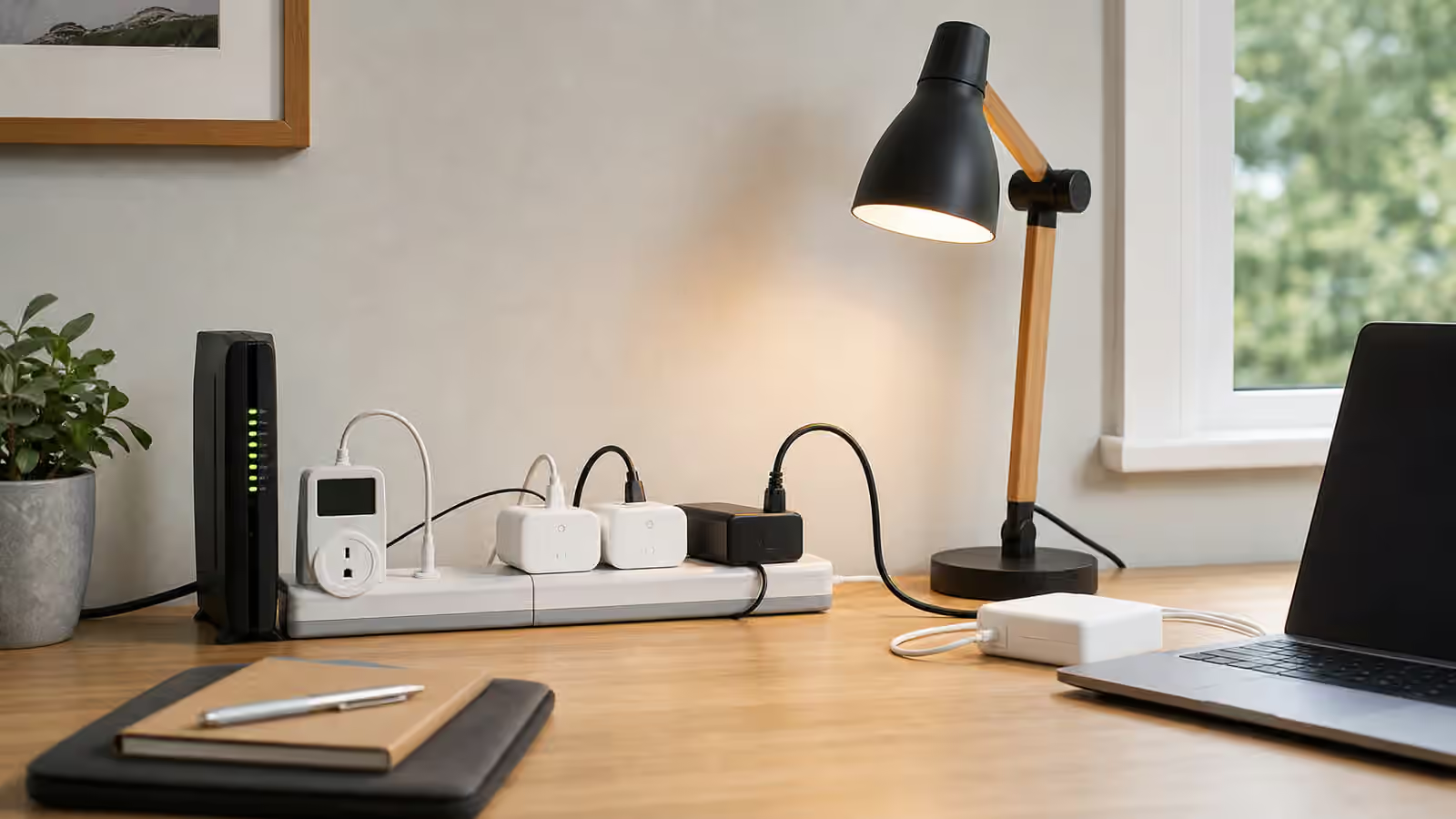
Standby loads are the small electric loads that keep running when the house feels quiet. A router waits for traffic. A modem stays connected. A monitor sleeps rather than turns off. A printer warms itself occasionally. Speakers, streaming boxes, chargers, docks, game consoles, security hubs, and desk lights sit ready for the next use. Each one can look harmless by itself. Together they shape the baseline that a bill, battery, or backup plan has to carry every hour. For background, see Virginia Tech Extension — Estimating Appliance and Home Electronic Energy Use .
That baseline matters because time turns small watts into real energy. A device drawing ten watts all day uses 240 watt-hours before anyone notices it. Several devices doing the same thing can become a meaningful part of an outage plan, especially if the household expects a portable power station or home battery to keep communication, work, and lighting alive. The point is not to shame every device with an indicator light. The point is to know which always-on loads are worth their energy and which are just leftovers from old habits.
The baseline is a household habit
Home Energy Monitoring Basics starts with bills and measurements because a house cannot be improved honestly until its ordinary pattern is visible. Standby loads are part of that ordinary pattern. They are easy to miss because they rarely make noise, change temperature, or demand attention. A heat pump, dryer, induction range, or EV charger announces itself. A network cabinet just keeps sipping power in the corner.
The home office has made this more important. Many houses now contain a desk setup that behaves more like a small always-on studio than a laptop on a table. A monitor may sleep but keep a hub awake. A dock may power a webcam, speakers, external drives, and charging cables. A printer may sit in standby for months. A mesh network node may serve a room that no longer needs it. A desktop computer may sleep badly because one peripheral keeps waking it. None of these loads is automatically wasteful. They simply need to be seen.
Baseline work is also practical for backup. During an outage, the small loads are often the ones people actually want: modem, router, phone charging, laptop, task light, medical equipment where applicable, and maybe a fan. If those loads are efficient and intentional, backup planning gets easier. If they are tangled with sleeping televisions, idle consoles, decorative lights, and old chargers, the battery has to support confusion.
Measure in hours, not moments
A plug-in electricity usage meter is useful when it is used patiently and within its rating. Momentary watts can be misleading because many electronics behave differently across time. A monitor may draw more when awake and much less asleep. A laptop charger may spike during charging and then settle. A printer may show a low standby number until it performs a maintenance cycle. A router or modem may be steady. A desktop computer may look asleep and then wake repeatedly.
The useful measurement is the energy used over a period that matches real life. A workday tells you something different from a weekend. An overnight reading can reveal devices that should have gone quiet but did not. A full day makes it easier to convert the result into the language from Watts, kWh, and Loads . The formula is simple, but the observation behind it matters: watts multiplied by hours becomes watt-hours, and watt-hours become battery runtime, solar demand, and bill impact.
Write down the context beside the number. “Desk setup, weekday, laptop charged, two monitors asleep overnight” is more useful than a bare wattage. Energy notes should be readable six months later, especially if they feed Battery Runtime Calculator or a future contractor conversation. A number without the room, season, equipment state, and measurement duration ages quickly.
Separate useful readiness from accidental readiness
Some standby loads are doing real work. Networking equipment keeps communication available. A security or medical device may need continuous power. A refrigerator control board, sump pump controller, or necessary charger may be part of household resilience. Turning these off casually is not efficiency. It is breaking the function they provide.
Other loads are ready only because no one asked whether readiness matters. A guest-room television may not need a streaming box, console, and soundbar waiting every night. A printer used twice a month may not need to stay awake. A monitor dock may be better on a switched strip if the laptop is not used at that desk daily. A charger drawer can be simplified when old adapters are still plugged in for devices that left the house years ago. The question is not “Can this be off?” The better question is “What problem does this readiness solve?”
This distinction keeps the work calm. A home full of switched strips and strict rules can become annoying fast. A home with a few thoughtful changes can reduce baseline load without changing the parts of life that matter. The best targets are devices that are easy to turn off, easy to turn back on, and clearly not needed most of the time.
Home office equipment deserves a routine
A home office often benefits from a shutdown routine rather than a permanent austerity plan. At the end of the day, the laptop can sleep or shut down cleanly, monitors can turn off, desk lights can go dark, and nonessential peripherals can lose power through a switch. The router, modem, and any necessary network equipment may stay on because the household depends on them. That is a reasonable split.
The details should match the equipment. Some docks behave poorly when power is cut. Some external drives need proper ejection. Some desktop computers should not be cut off at a strip while running. Some smart plugs and power strips add their own standby draw, so they belong where they simplify a real cluster of loads, not where they solve a tiny problem by adding another device. Energy planning should not create data loss, network trouble, or a nightly ritual nobody will follow.
Remote work also changes backup planning. If the household expects to work through a short outage, the office load belongs on the same page as the refrigerator, lights, and router in Outage Priority List . A laptop is usually easier to back up than a desktop tower and two large monitors. A phone hotspot may be easier than the whole network in some outages, but not if cell service is weak. The right answer depends on actual work needs, not an abstract idea of productivity.
Media rooms hide steady loads
Entertainment equipment can be another quiet baseline. Televisions, streaming boxes, receivers, powered speakers, subwoofers, consoles, disc players, antenna amplifiers, and network switches may all sit together. The cluster is easy to ignore because the whole cabinet feels like one appliance. A meter can reveal whether it behaves like one appliance or like a small group of loads that never fully rests.
The decision is partly about convenience. Some devices take time to update or reconnect. Some households value instant use. Others would rather put an entire media cluster behind a switched strip when it is unused. The practical approach is to measure first, then make the smallest change that preserves the way the room is actually used. If a switched strip turns movie night into troubleshooting, it will not last. If it quietly turns off a pile of idle gear in a room used twice a week, it may be perfect.
Standby work should also respect ventilation and manufacturer instructions. Power strips should not be overloaded, hidden under rugs, or used as a substitute for proper outlets. Old or damaged strips should be retired. Anything that gets warm, smells unusual, sparks, trips protection, or behaves unpredictably belongs outside a casual energy experiment and may need professional attention.
Put the baseline into the whole-home map
The final step is connecting the quiet loads to the rest of the house. Whole-Home Energy Map is the right place to record always-on loads because baseline is not one room’s problem. It is the sum of networking gear, office equipment, refrigeration, pumps, controls, chargers, and devices that live in the background.
Once the map has those loads, later decisions become clearer. A portable power station can be sized around an intentional communication setup rather than a vague promise to keep “the internet” on. A home battery proposal can be checked against the real overnight draw. A solar plan can separate daytime flexible loads from the devices that run all night. An efficiency project can remove waste before buying more capacity.
Standby loads are not dramatic, which is exactly why they are worth measuring. They are the house’s resting pulse. When that pulse is visible, the rest of the home energy plan gets less mysterious.